Using Claude for business is a bit like hiring help: it goes well when you decide ahead of time what they can see. This guide covers the few rules and settings that matter. It takes ten minutes, and it's worth doing before you start uploading files.
What to keep out of Claude
Don't paste or upload these, on any plan:
- Passwords, logins and security codes
- Full credit card or bank account numbers
- Social Security numbers and other government ID numbers
- Customer health or medical information
- Anything a contract says you must keep confidential
If you need help with a document that contains one of these, delete or black out those parts first. Claude doesn't need the real number to help you write the letter.
Now the settings.
Step 1: Open Settings from your name
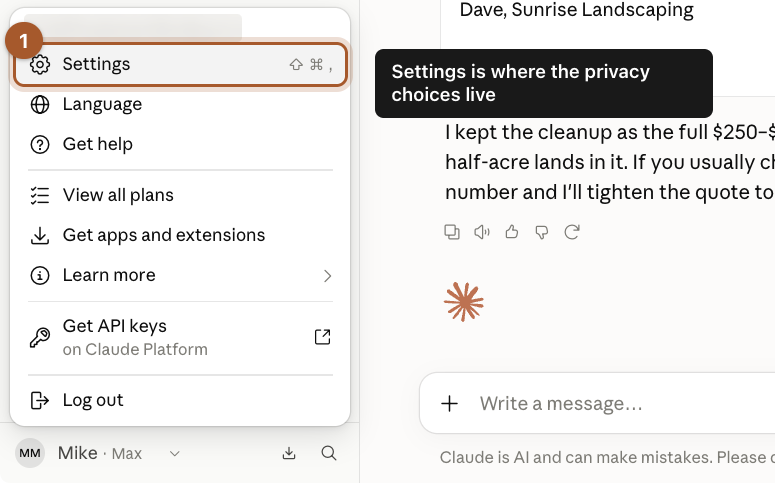
Click your name in the bottom left corner, then click Settings.
Step 2: Click Privacy
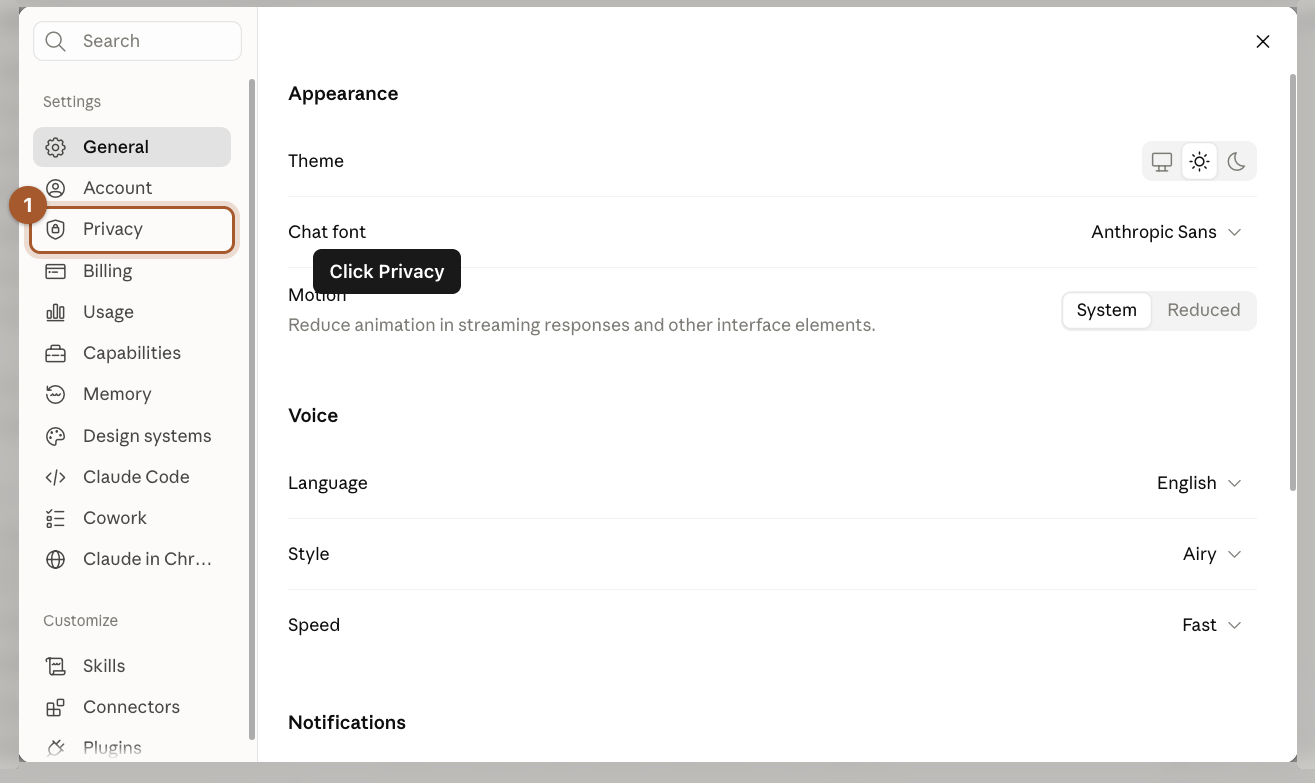
A Settings window opens. In the menu on its left side, click Privacy.
Step 3: Decide on Help improve our AI models
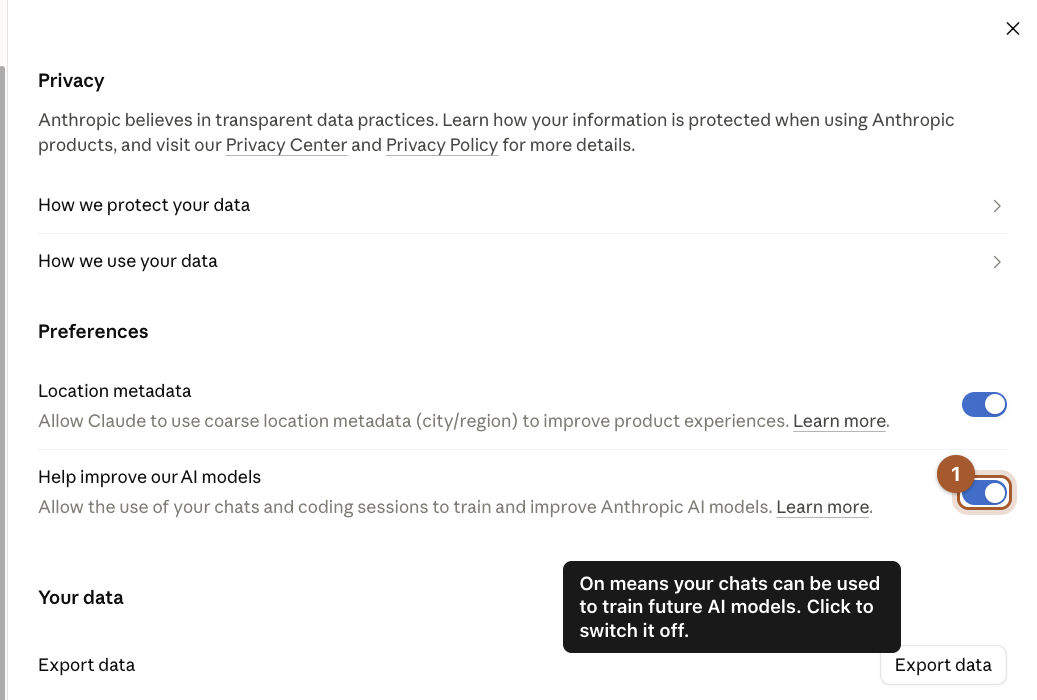
Find the switch called Help improve our AI models.
- On (blue): Anthropic may use your chats to train future versions of Claude. Anthropic says those chats can be kept for up to five years.
- Off (gray): your chats aren't used for training.
Click the switch to change it. The change saves right away.
Step 4: Check what Claude remembers
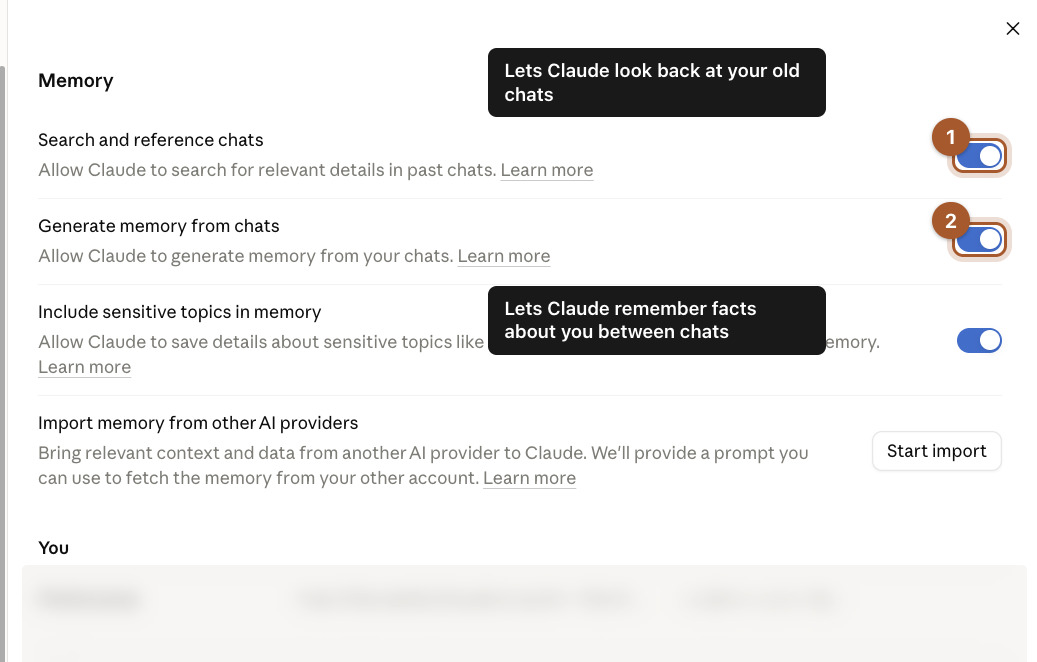
In the same Settings menu, click Memory. Two switches matter:
- Search and reference chats lets Claude look back at your old conversations when it answers.
- Generate memory from chats lets Claude remember facts about you, like your business name, between chats.
Both save you from repeating yourself, and both are yours to turn off. Further down this page, under You, you can read what Claude has remembered and ask it to change or forget something.
Step 5: Use incognito for one-off sensitive questions
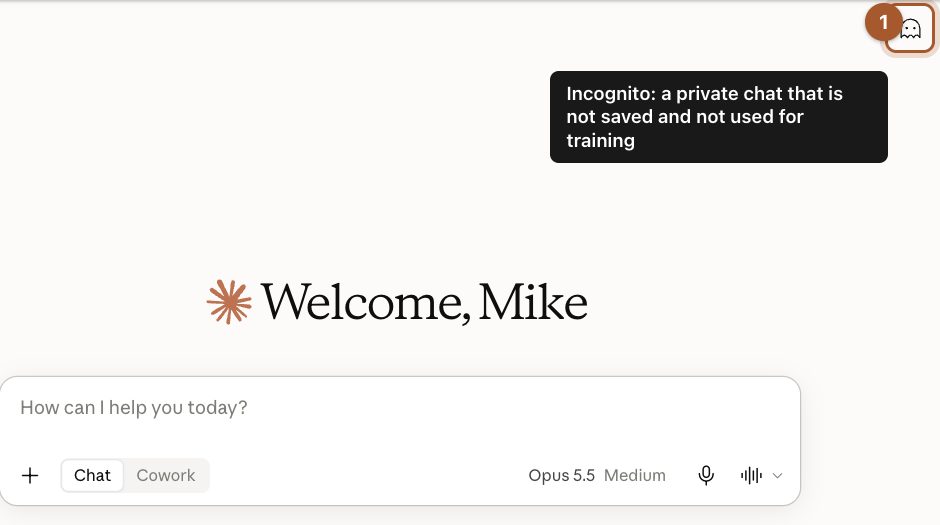
On the home screen, click the small ghost icon in the top right corner to start an incognito chat.
Step 6: Know what incognito does
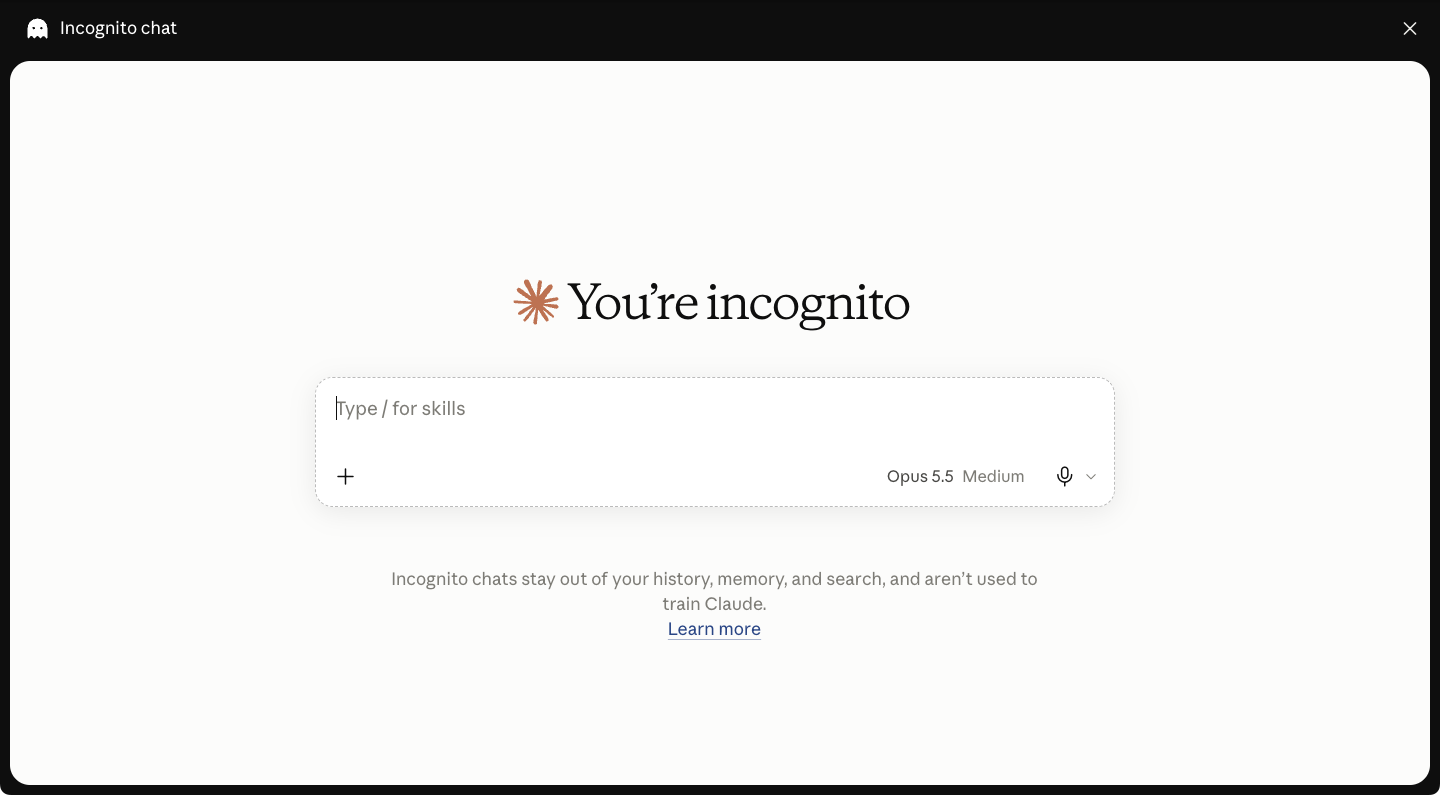
The screen changes to say You're incognito. Incognito chats stay out of your chat history, aren't added to Claude's memory, and aren't used for training, even if the training switch is on.
Screenshots taken September 24, 2026. Claude changes its look now and then. If a button has moved, look for the same words nearby.