Normally every new chat starts from zero. Claude doesn't know your business name, your prices or how you like to sound, so you end up explaining it again and again.
A Project fixes that. It's a folder where you tell Claude about your business once. Every chat you start inside it already knows.
Step 1: Click Projects
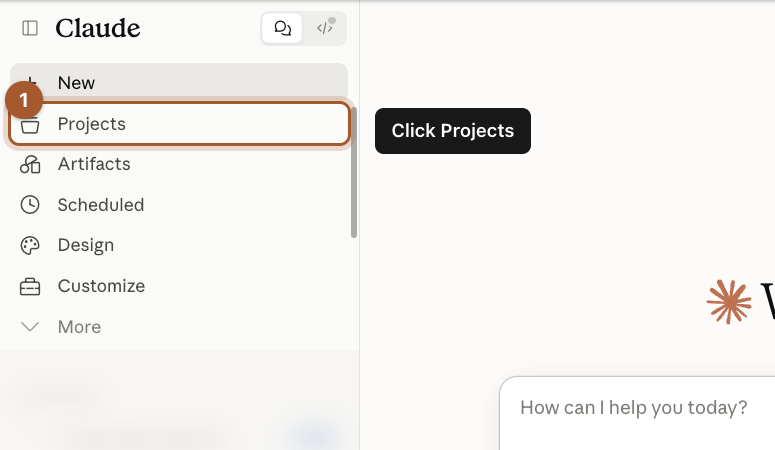
In the menu on the left, click Projects, just below New.
Step 2: Click New project
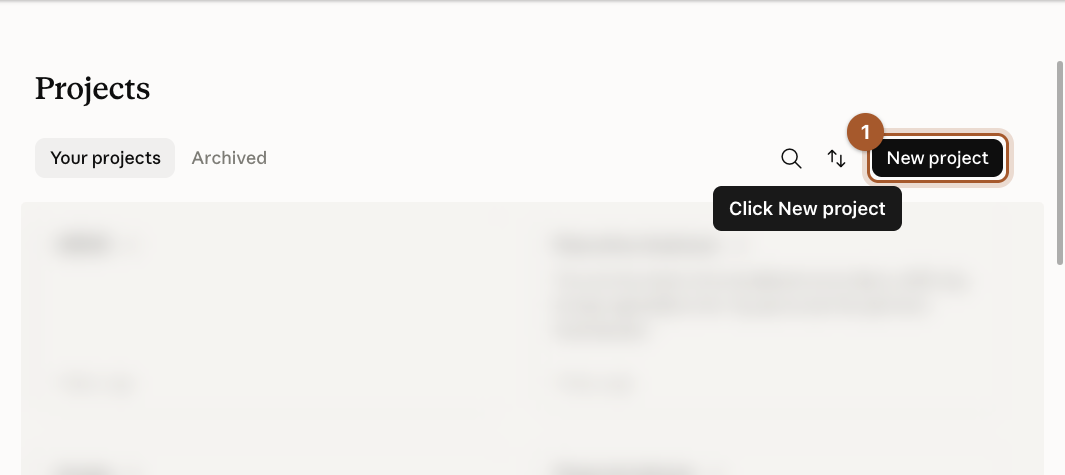
Click the black New project button in the top right.
Step 3: Name it and say what it's for
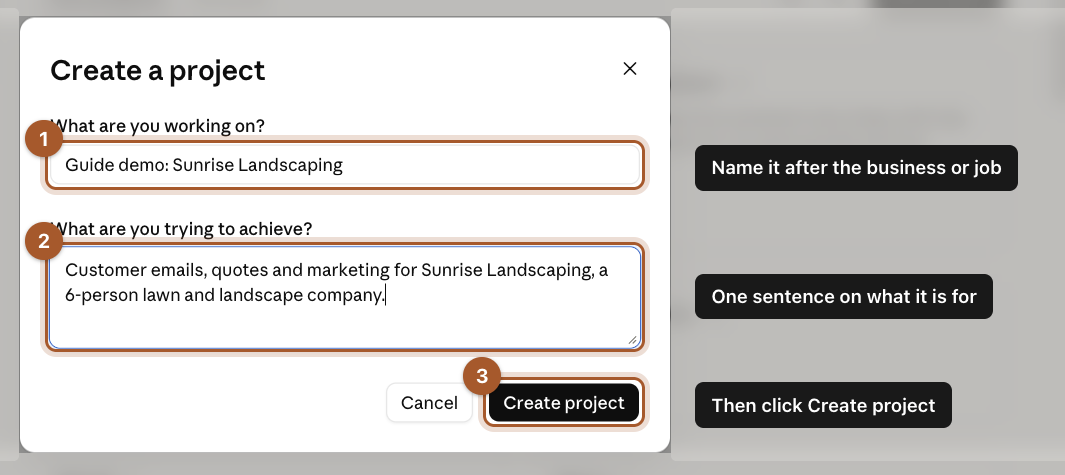
Give it a name you'll recognize, like your business name. In the second box, write one sentence about what you'll use it for. Then click Create project.
Step 4: Find Instructions and Context
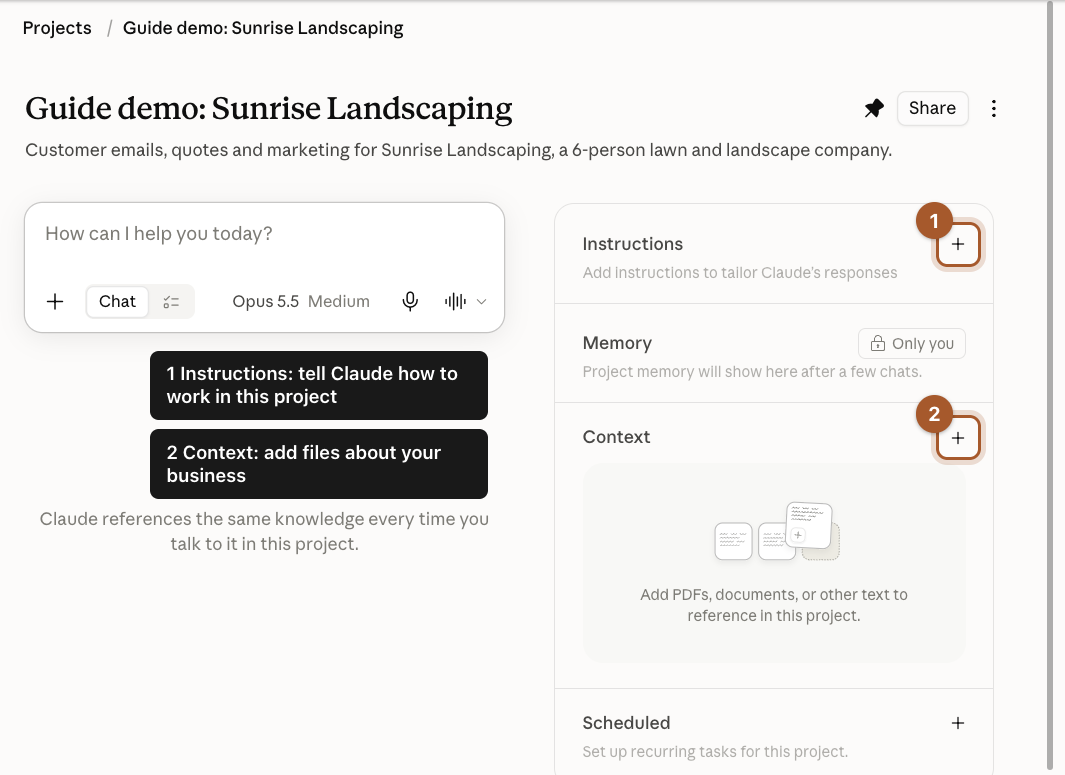
Your project page has two important boxes on the right:
- Instructions: how Claude should work in this project.
- Context: files Claude can look things up in.
Click the + next to Instructions first.
Step 5: Write your instructions and save
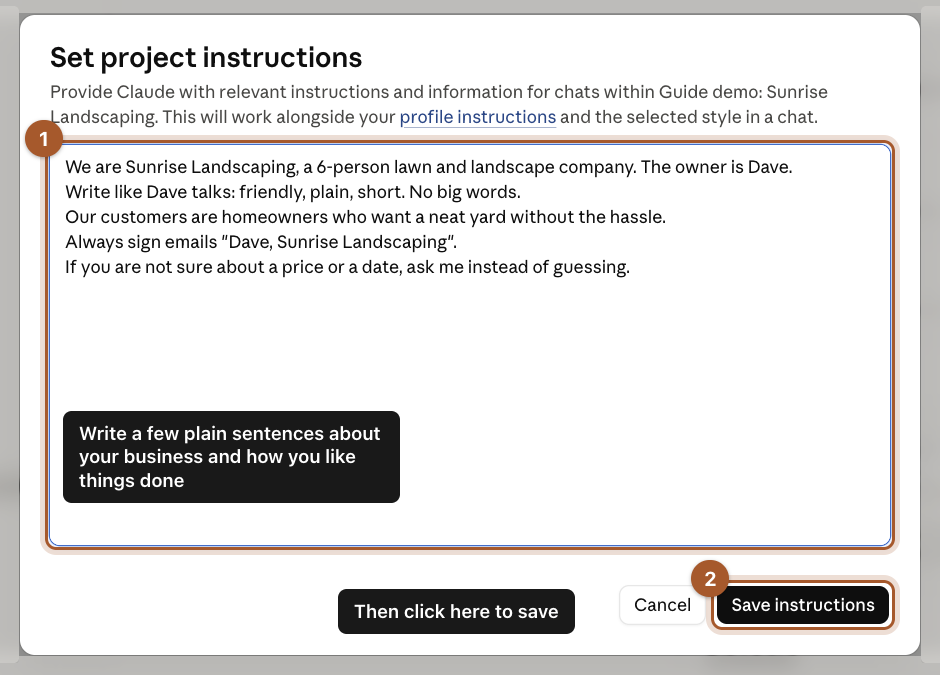
Write a few plain sentences, like you're briefing a new office manager. Then click Save instructions. Here's what we wrote. Copy it and change the details:
We are Sunrise Landscaping, a 6-person lawn and landscape company. The owner is Dave.
Write like Dave talks: friendly, plain, short. No big words.
Our customers are homeowners who want a neat yard without the hassle.
Always sign emails "Dave, Sunrise Landscaping".
If you are not sure about a price or a date, ask me instead of guessing.
Step 6: Add a file with your prices or services
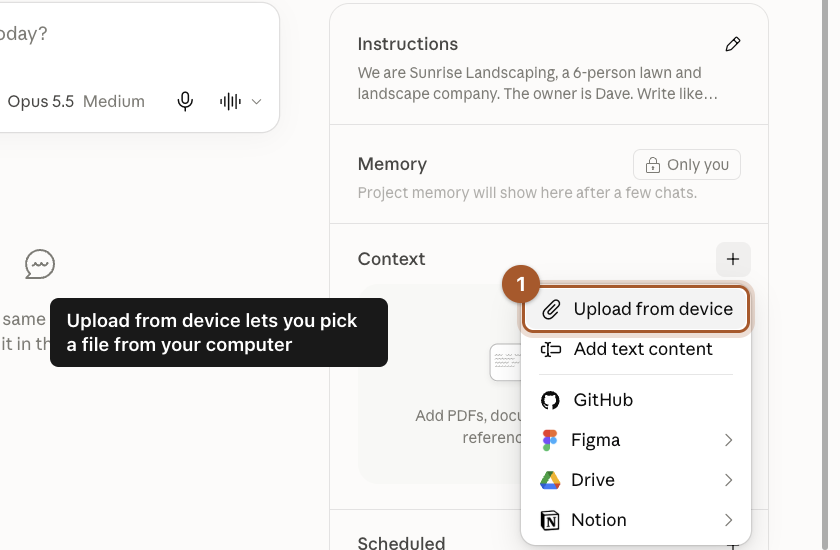
Click the + next to Context, then Upload from device, and pick a file from your computer. Good choices are a price list, a services sheet, your FAQ, or a few past emails you liked.
Step 7: Start a chat inside the project
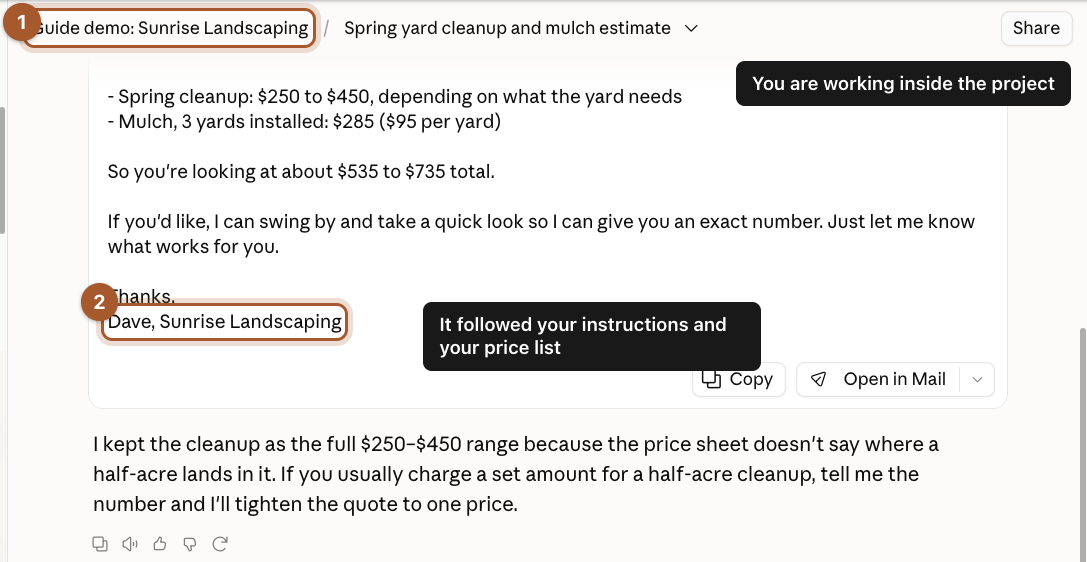
Type a request in the message box on the project page. We asked for a rough price for a spring cleanup and 3 yards of mulch.
Claude used the price list to add it up ($535 to $735), signed it the way the instructions said, and explained why it gave a range instead of guessing. We never mentioned prices or the owner's name in the question.
You can tell you're inside the project because its name shows at the top of the chat.
Screenshots taken September 24, 2026. Claude changes its look now and then. If a button has moved, look for the same words nearby.