Most stuck businesses aren't missing effort. They're missing systems.
The sales process lives in one person's head. Every client kickoff starts from a blank page. Someone rebuilds the weekly report every Monday. Nothing is fully broken. Everything is held together by memory, heroics, and one more follow-up.
That's the real cost of being spread too thin. You aren't failing at one function. You're holding eight of them together by hand.
This takes about 10 minutes to read. If you only need a starting point, stop after the tiers section.
By the end, you'll know:
- The 8 systems every small team already runs
- Which 3 to fix first, and which can wait
- The 5 parts every working system needs
- A 30-day rollout that doesn't die in a shared folder
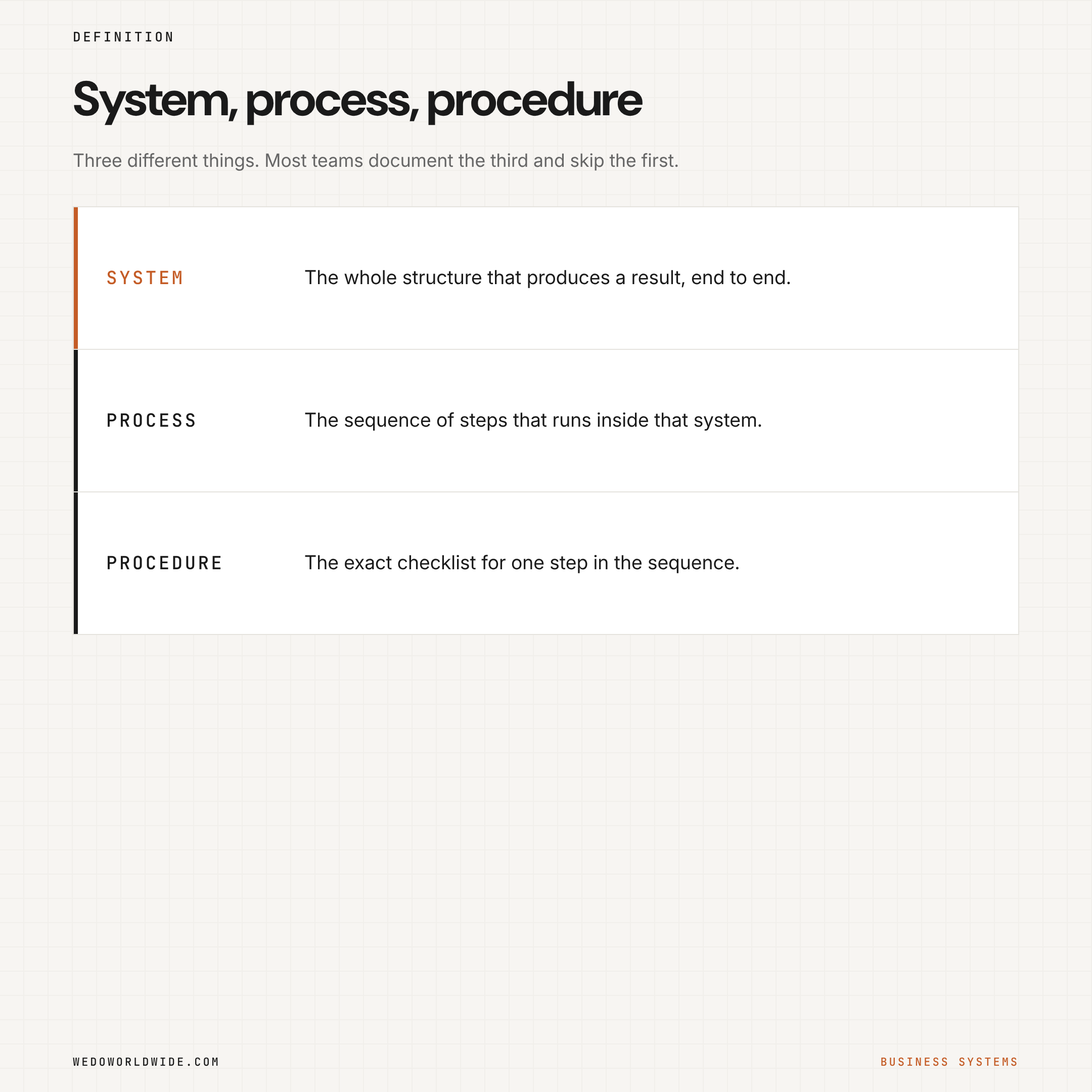
A business system is the fix. SYSTEMology defines it as a structured procedure, process, or method built to get a specific result. They split it three ways:
- A system is the big picture.
- A process is the sequence.
- A procedure is the exact checklist inside that sequence.
Lean Methods Group makes the same point from the operations side. Systems connect the moving parts of the business. Work then produces the same outcome without starting from zero every time.
That sounds simple because it is. The hard part is deciding what to systemize first.
Here's the better way to think about it: you don't need to be great at every part of the business at once. You need a reliable system in each part, so the weak areas stop stealing time from the strong ones.
01 / what-are-the-8-business-systems-every-small-team
What are the 8 business systems every small team runs?
Sales, marketing, delivery, finance, people, customer experience, product, and technology. You run all eight, badly or well, whether you named them or not.
1. Sales and revenue
This is how demand becomes money. Leads come in. Conversations happen. Proposals go out. Follow-up happens, or it doesn't.
When this system is weak, revenue feels random. You get a strong month, then silence. Nobody knows which leads need attention today.
Systemize first: lead capture, pipeline stage definitions, proposal follow-up, and weekly revenue visibility.
2. Marketing and brand
This is how the market finds you and learns why you matter. Content, search visibility, campaigns, social proof, and positioning all live here.
When it's weak, you create activity without building demand. The team posts, publishes, and launches. The work doesn't stack.
Systemize first: content calendar, campaign briefs, channel ownership, and message review gates.
3. Operations and delivery
This is how promises get kept. Production workflows, project management, handoffs, and quality control live here. So does everything after the deal closes.
When it's weak, growth gets dangerous. The more work you win, the harder it is to deliver cleanly.
Systemize first: intake, kickoff, task handoffs, recurring project templates, and quality checks.
4. Finance and cash flow
This is how the business stays real. Invoicing, collections, margins, budgeting, payroll timing, and cash forecasting live here.
When it's weak, you can look busy while getting financially softer every month.
Systemize first: invoice triggers, payment follow-up, weekly cash visibility, and simple margin tracking.
5. People and culture
This is how roles stay clear and standards survive growth. Hiring, onboarding, training, accountability, and role ownership live here.
When it's weak, every new hire creates drag before they create lift.
Systemize first: role scorecards (one page on what a role owns and how it's measured), onboarding checklists, weekly accountability rhythms, and documented ownership by function.
6. Customer experience
This is what it feels like to buy from you, work with you, and ask for help.
When it's weak, your team ends up repairing emotional damage. A clear workflow would have prevented it.
Systemize first: onboarding sequence, response expectations, escalation rules, and closed-loop feedback (you ask, you act, you tell the customer what changed).
7. Product or service development
This is how the offer stays relevant. You learn what customers want, what's changing, what to improve, and what to cut.
When it's weak, you keep selling yesterday's version of your best idea.
Systemize first: feedback collection, offer review cadence, prioritization criteria, and test-launch process.
8. Systems and technology
This is the layer that holds the rest together. Tools, automations, dashboards, documentation hubs, and reporting logic live here.
When it's weak, every other system gets harder to see and harder to trust.
Systemize first: source-of-truth tool decisions (which app holds the real answer), automation triggers, dashboard views, and permissions.
02 / which-systems-should-you-fix-first
Which systems should you fix first?
Fix the survival tier first: sales, finance, and delivery. Not every system deserves equal attention right now.
This is where most owners get stuck. They hear "you need systems" and try to document the whole company in a weekend. That doesn't work. You get a nice pile of files and almost no relief.
Work in tiers instead.
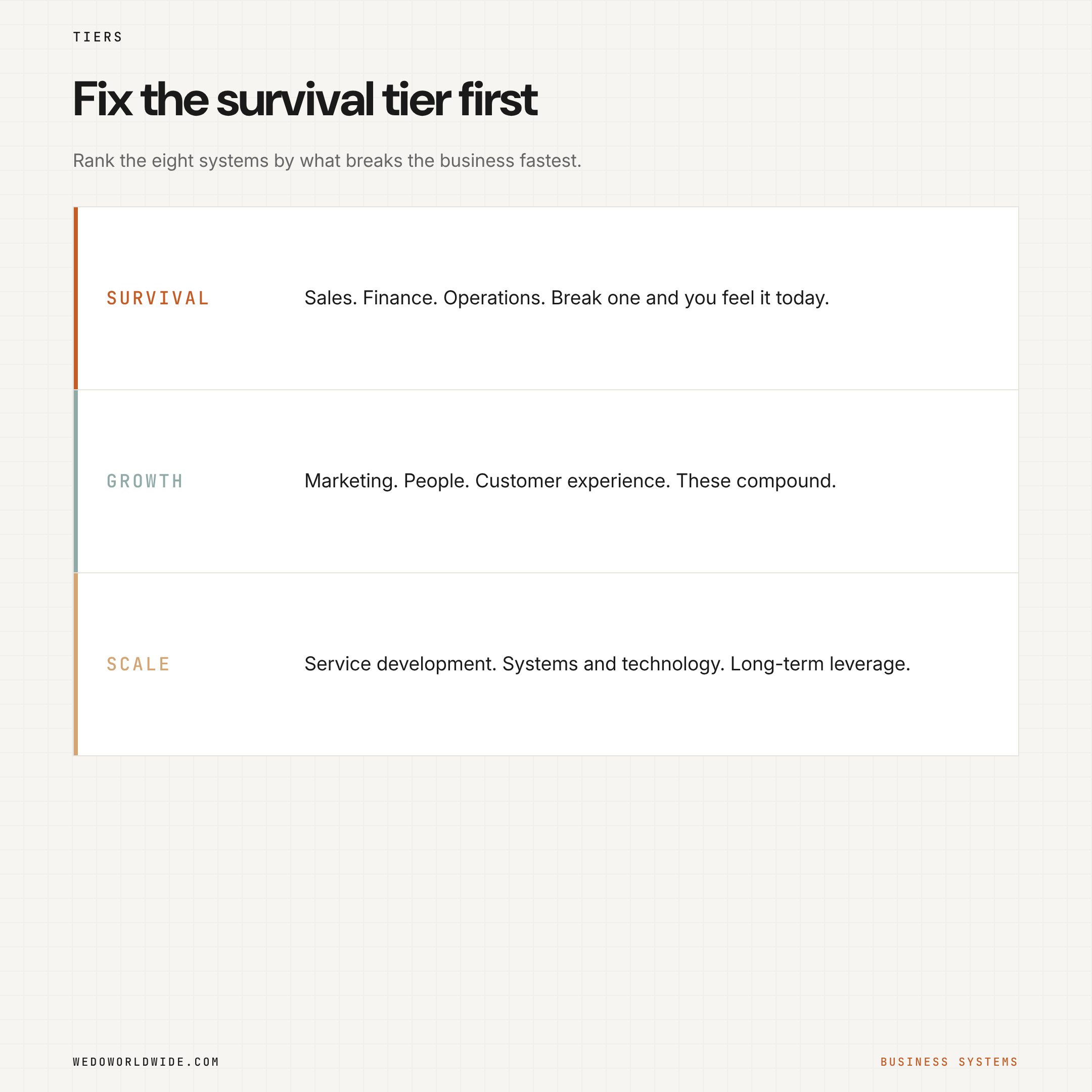
Survival tier: sales and revenue, finance and cash flow, operations and delivery. If one of these breaks, you feel it immediately.
Growth tier: marketing and brand, people and culture, customer experience. You can survive while these are weak. Growth stays noisy and expensive.
Scale tier: product or service development, systems and technology. When these are weak, the business eventually plateaus. It can't improve itself fast enough.
The practical rule: personally lead the two or three systems where your judgment is still critical. Systemize the rest until they're visible, repeatable, and hard to drop.
03 / what-does-a-working-system-look-like
What does a working system look like?
It has five parts: an owner, a trigger, a sequence, a visible output, and a review gate. It isn't a slogan. It isn't a folder of SOPs (standard operating procedures) nobody opens.
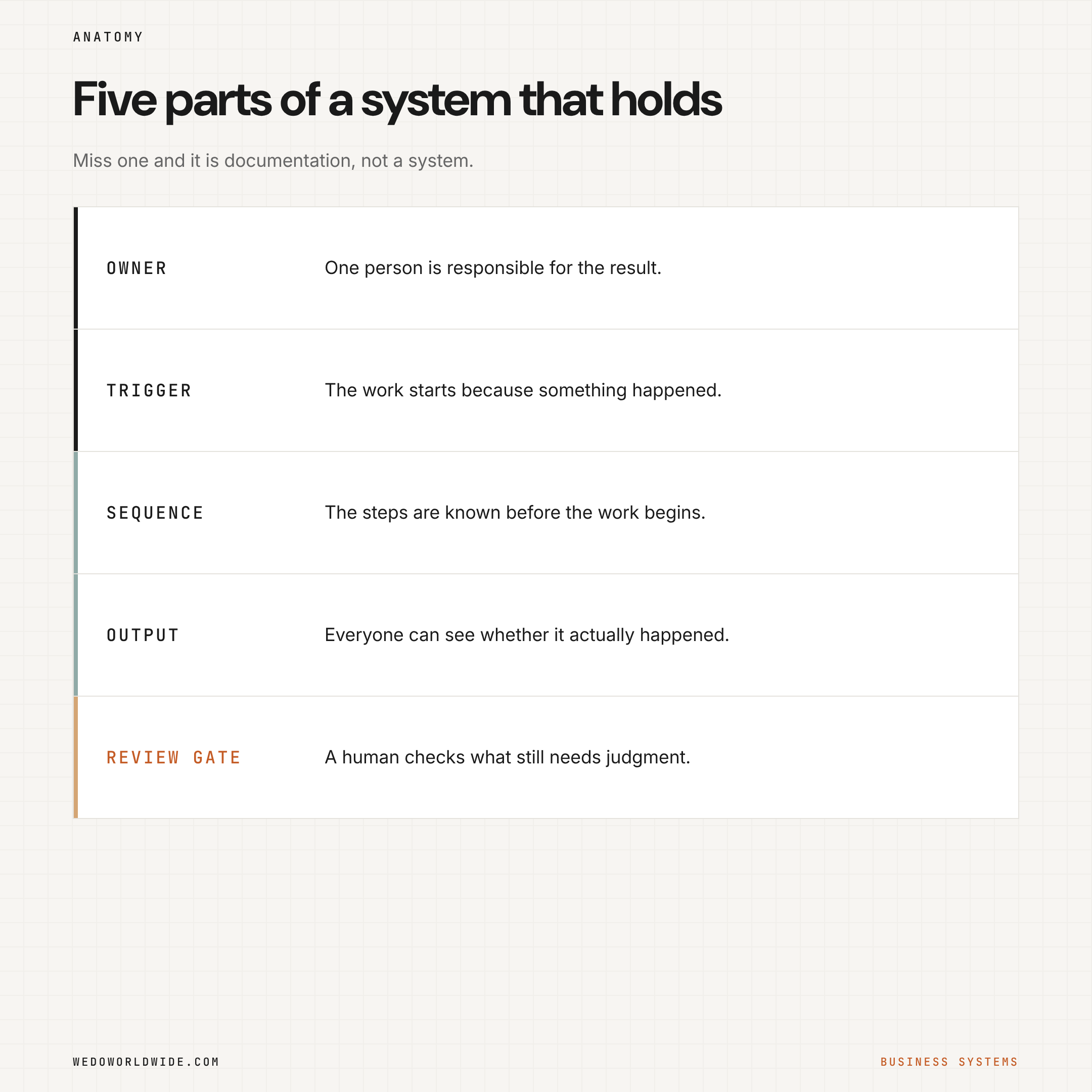
- An owner: someone is responsible for the outcome
- A trigger: the work starts because something happened
- A sequence: the steps are known
- A visible output: everyone can see whether it happened
- A review gate: a human checks what still needs judgment
This is why so many "systems" fail. They describe the steps. They never name the owner, the trigger, or the output.
04 / how-does-clickup-become-the-operating-layer
How does ClickUp become the operating layer?
Put every system in one tool where the whole team can see it. Most teams overcomplicate this part. You don't need a different app for every function.
ClickUp works well here. It holds the trigger, the workflow, the owner, and the review in one place.
| Business system | What needs to be visible | Useful ClickUp layer |
|---|---|---|
| Sales & Revenue | lead stage, next action, stalled deals | List + custom fields + board view |
| Marketing & Brand | campaign calendar, brief status, approval gates | List + calendar view + docs |
| Operations & Delivery | intake, task handoffs, due dates, blockers | templates + automations + dashboards |
| Finance & Cash Flow | invoice sent, payment status, weekly checkpoints | List + recurring tasks + custom fields |
| People & Culture | owner clarity, onboarding steps, review rhythm | docs + checklists + recurring meetings |
| Customer Experience | response expectations, routing, feedback loop | forms + automations + task routing |
| Product / Service Development | ideas, feedback, priority, testing cadence | docs + intake forms + prioritization fields |
| Systems & Technology | automation health, reporting views, documentation | dashboards + docs + admin views |
Don't pick ClickUp because it's ClickUp. Pick the tool that stops your systems from depending on memory. If it makes ownership, triggers, and review visible, it's helping. If it adds one more invisible maze, it isn't.
05 / why-does-documenting-everything-first-backfire
Why does documenting everything first backfire?
Because documentation isn't the first milestone. Reliability is. A one-page checklist used every week beats a 20-page SOP nobody trusts yet.
Start with the work that creates the most drag:
- the repeat work everyone complains about
- the tasks that go missing between people
- the weekly outputs rebuilt from scratch
- the approvals that bottleneck around one person
Once the workflow is stable, expand the documentation.
This matters more in small businesses, where time is the scarce resource. The U.S. Chamber of Commerce technology roundup makes the same point. Small businesses gain efficiency when they automate repetitive tasks, centralize information, and cut manual handoffs. That's an operating principle, whatever software you use.
06 / how-do-you-roll-this-out-in-30-days
How do you roll this out in 30 days?
Pick three systems, then give each step one week. Don't start with all eight at once.
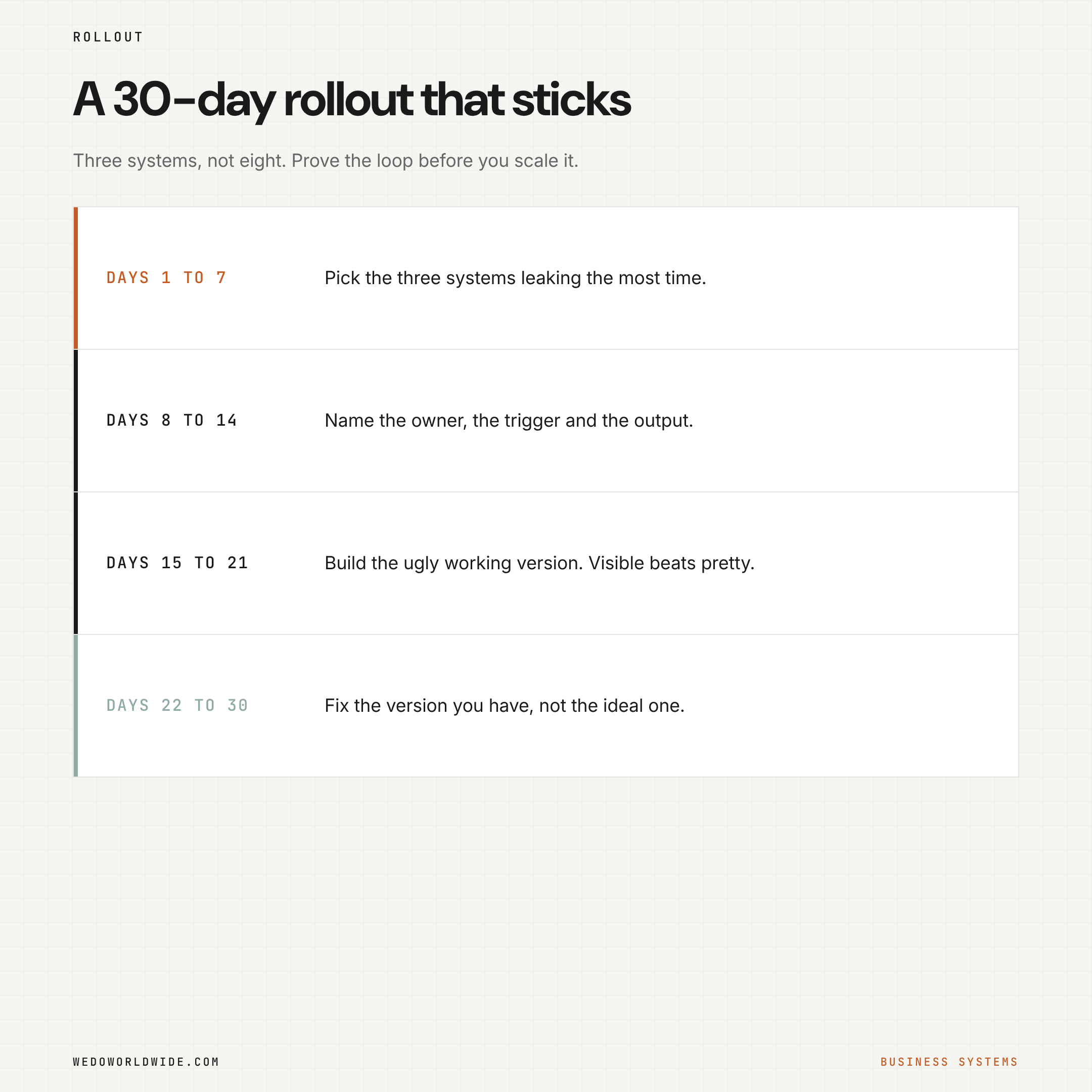
Days 1 to 7: pick the three systems leaking the most time
Choose one from survival, one from growth, and one cross-functional visibility problem (work no single team owns). For example: proposal follow-up in sales, client onboarding in operations, content approvals in marketing.
Days 8 to 14: define the owner, trigger, and output
For each system, answer four questions:
- Who owns this result?
- What event starts the workflow?
- What output proves it happened?
- Where does a human still need to review?
Days 15 to 21: build the minimum working version
Create the list, form, template, automation, or dashboard that makes the system real. Keep it ugly if you need to. Clean comes later. Visible comes first.
Days 22 to 30: review and tighten
Watch where the workflow still breaks. The usual failures: unclear ownership, too many steps, bad triggers, automations firing too early, and outputs nobody checks. Fix that version, not the imaginary perfect one.
07 / whats-the-real-goal-of-business-systems
What's the real goal of business systems?
Focus. Systems keep routine work from stealing founder attention. They aren't there to make the business feel corporate.
Spend your time where judgment matters. Closing the right deal. Shaping the offer. Making the strategic call. Hiring the right person. Changing direction when the market changes.
Don't spend that energy wondering if the invoice went out. Or if the kickoff task got assigned. Or if someone rebuilt the weekly report again.
When the business feels like it's running you, the problem usually isn't effort. Too many essential functions still depend on memory and rescue work.
Build the systems. Let them carry the repeatable load. Then go lead the few parts of the business that still need you.
08 / start-here
Start here
If your team can see where work leaks but can't turn that into a system, that's what WE•DO's AI Operations service does. We map the workflow, define the guardrails, and build the operating layer. The work stops depending on memory.
Want the next layer? These posts use the same framework:
- AI automation for small business: audit the workflow, pick one controlled starting point, keep people in the right decisions, and measure before expanding.
- How AI agents fit into the delegation model.
- How 40 AI agents can support a growth team.
- AI tools for business automation: what to automate first.