Anthropic shipped three products with nearly the same name. Chat, Cowork, Code. Same Claude underneath. Three very different jobs.
Picking the wrong one costs real time. We watch smart marketers paste files into Chat one at a time. Cowork could have read the whole folder. We watch operators skip Claude Code because they don't write software. The thing blocking them is a 30-line script.
We run 40+ agents in production at WE•DO across content, reporting, meeting prep, and internal ops. All three surfaces are in that stack every day.
By the end, you'll know:
- What each surface is built for, in one table
- When to stop using Chat
- Where Code fits, even if you don't write software
- The three-question test we use to route work
- The four mistakes we made first
It's a 9-minute read. If you only need the answer, skip to the test and stop there.
01 / whats-the-difference-between-chat-cowork-and-cod
What's the difference between Chat, Cowork, and Code?
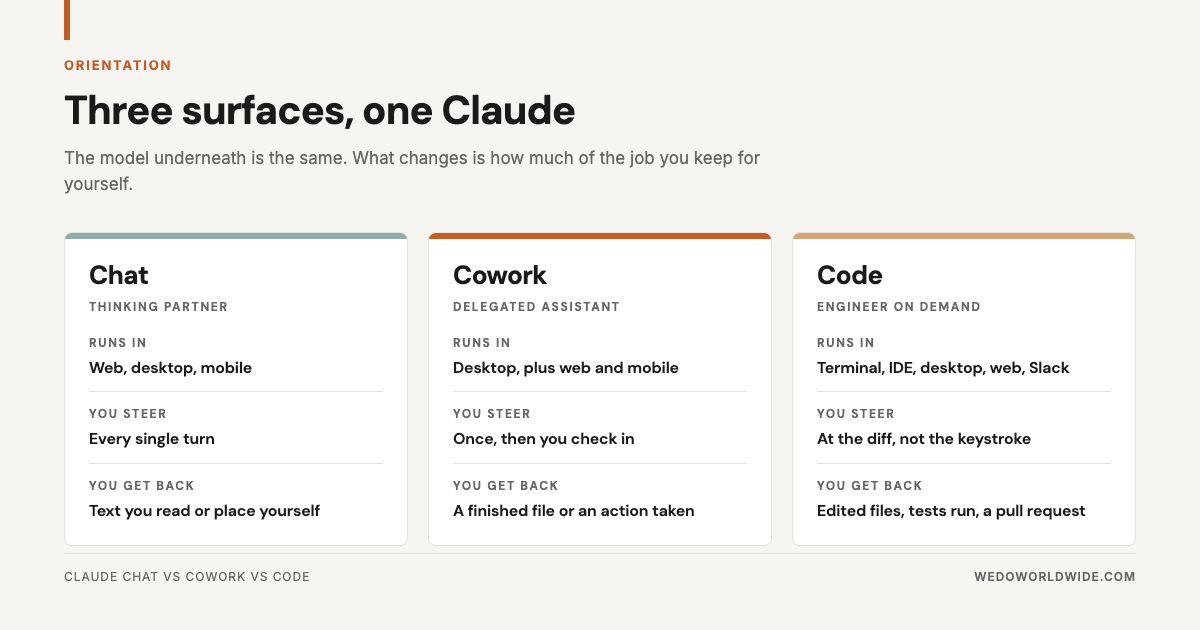
How much of the job you keep for yourself. Forget model names. That's the only variable that matters.
In Chat, you keep all of it. You drive every turn, and Claude hands back text.
In Cowork, you keep the goal and the review. Claude keeps the middle. It reads and writes files in folders you name. It uses the tools you connect. It comes back with a finished deliverable.
In Code, you keep the intent and the merge decision. Claude keeps the repo (the project folder that holds your code and its history).
| Chat | Cowork | Code | |
|---|---|---|---|
| Built for | Thinking, drafting, analysis | Multi-step knowledge work | Software |
| Your role | Present every turn | Brief it, then check in | Review the diff |
| File access | What you paste in | Folders and tools you grant | The whole repo |
| Output | Text | A finished file or an action taken | Edits, tests, a pull request |
| Runs unattended | No | Yes, on a schedule | Yes, on a trigger |
That's the whole map. The rest is detail on where each one earns its keep.
02 / when-should-you-use-chat
When should you use Chat?
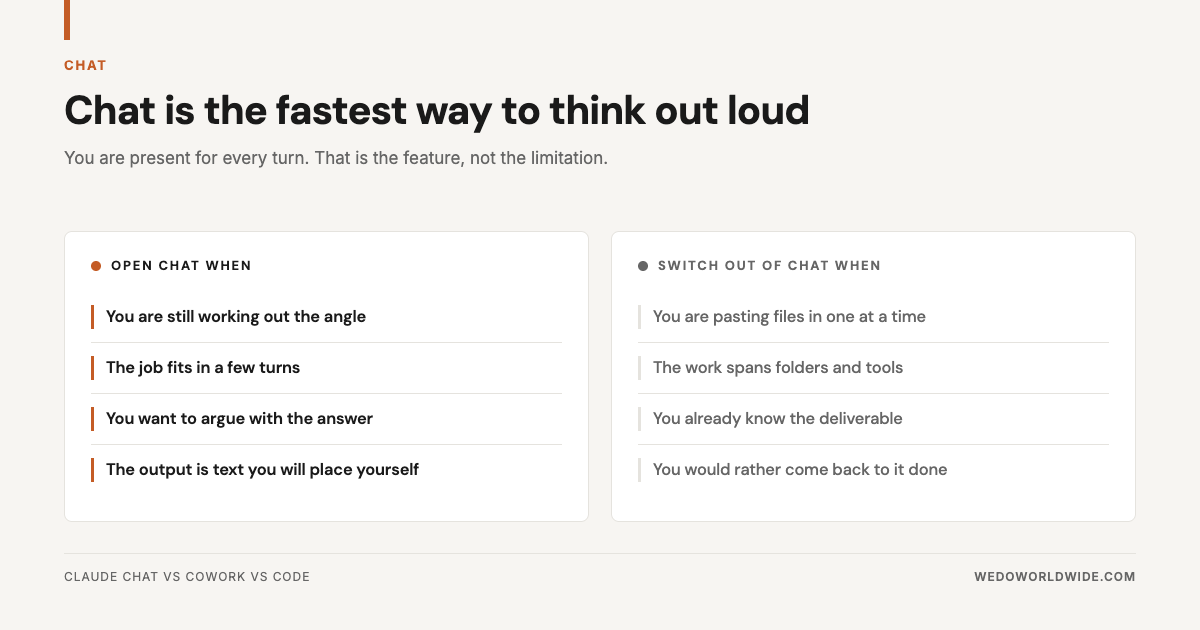
Use Chat when you don't yet know what you want. It's the one everyone knows: web, desktop, mobile, a conversation you steer turn by turn. It starts instantly. It remembers you across conversations.
Good Chat work looks like this:
- Pressure-testing a positioning angle
- Arguing with a hypothesis
- Turning messy notes into three headline options
- Working out why a funnel leaks before you open the analytics
The back-and-forth is the point. You interrupt, disagree, and redirect on every turn.
Chat stops being the right tool the moment you do manual labor to feed it. Uploading files one at a time? Copying output into a doc, then pasting the next file? You've outgrown Chat. Better prompts won't fix that. A different product will.
03 / when-should-you-use-cowork
When should you use Cowork?
Use Cowork when you know the deliverable and where the inputs live. Most marketing teams are sleeping on it. It runs the same agentic loop as Claude Code (Claude works through the steps on its own until the task is done). It's pointed at your files and apps instead of a codebase.
What changes from Chat is the shape of the work. Chat is a vending machine: prompt in, answer out. Cowork is a kitchen. You place an order. It gathers ingredients, works a multi-step recipe, plates it, and brings it out. It doesn't stop at a response. It stops when the task is done, in two minutes or forty.
Three things make that possible:
- A persistent workspace. It can spread out research, save drafts, change approach, and build on its own output all session.
- Real access to the folders and connectors you grant. There's no upload or download step.
- Schedules. It runs unattended, with your laptop shut.
The third one turns Cowork from a faster assistant into an operator. Set up a Monday 6am task once. The weekly readout is waiting before you've made coffee: numbers pulled, compared to last week, anything that moved more than 10% flagged.
One wrinkle before you commit: local file access needs the desktop app. Web and mobile sessions run in a cloud sandbox. That's great for firing off a task from your phone. But they can't see your hard drive unless the desktop app is open on that machine.
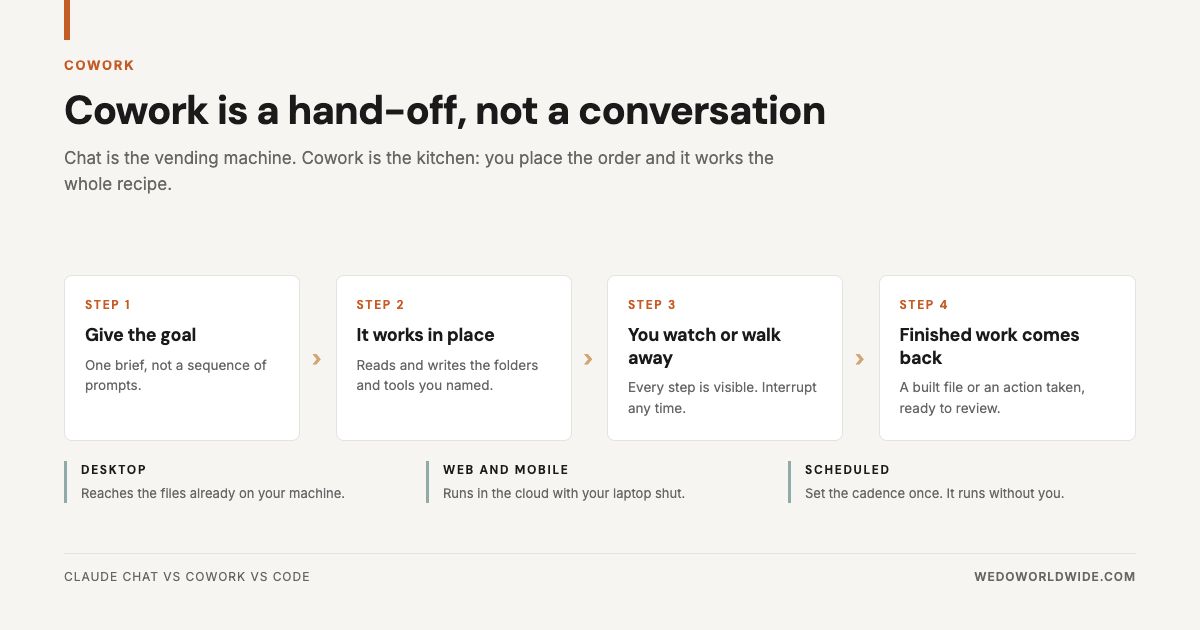
It also asks before anything consequential: sending an email, posting a message, changing a file outside its working folder. You see each step in the sidebar. You can interrupt at any point. That approval gate is why we're comfortable pointing it at client work. It's the same principle we wrote about in how Claude Code handles client data.
04 / when-should-you-use-code
When should you use Code?
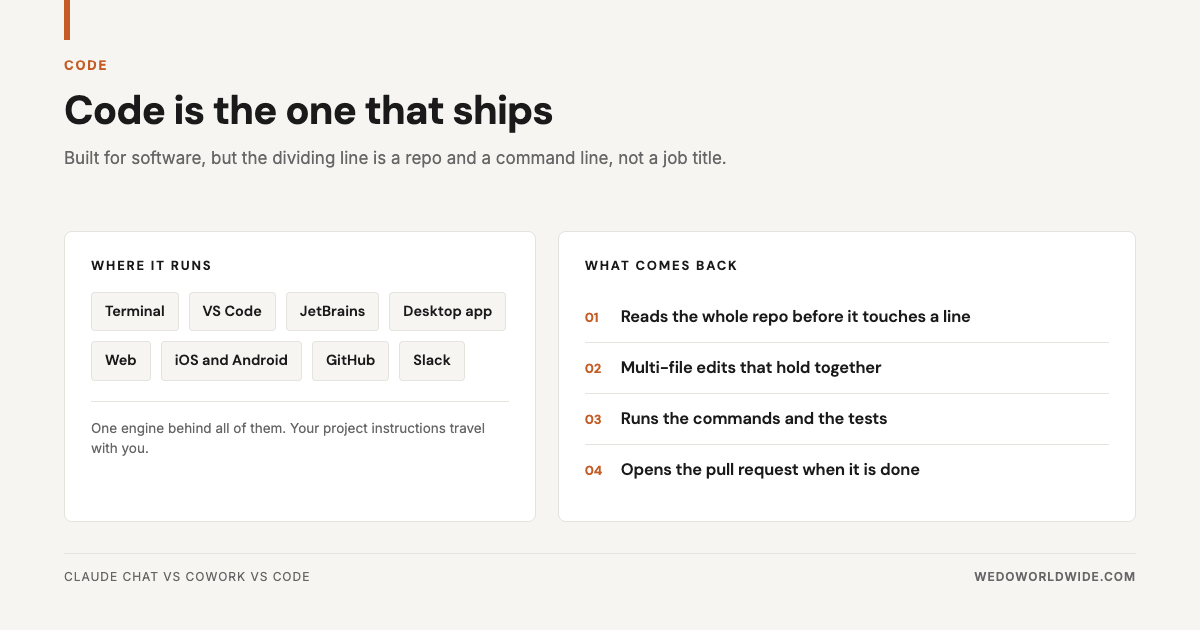
Use Code when the work ends inside a repo. Claude Code is built for software. It reads a codebase, makes multi-file edits, runs commands and tests, and opens the pull request (a proposed change someone reviews before it merges). It lives in the terminal, VS Code, JetBrains, a desktop app, the web, mobile, GitHub, and Slack. Same engine behind all of them. Your project instructions travel with you.
Here's the part non-engineers get wrong. The dividing line is the repo, not your job title. Plenty of marketing work ends in one:
- Tracking implementations
- Schema markup
- A bulk redirect map
- A script that reshapes an export
- Anything touching a Next.js or Shopify theme
We use it for exactly that kind of work. We covered it in how we use Claude Code.
The reverse holds too. If the work doesn't end in a repo, Code is the wrong surface, even if you're technical. Building a deck from a folder of research is Cowork work. So is reconciling a spreadsheet. Reach for the terminal because it feels more powerful, and here's where you end up: debugging a Python script a scheduled Cowork task would have handled.
05 / how-do-you-pick-the-right-one
How do you pick the right one?
Ask three questions in order. The first yes is the answer. It's what our team runs when they're not sure.
- Are you still deciding what you want? Open Chat. Thinking is Chat's job, and it's cheaper here.
- Do you know the deliverable and where the inputs live? Open Cowork. A clear output plus a real folder is the shape it's built for.
- Does the work end inside a codebase? Open Code. Repo, commands, tests, pull request.
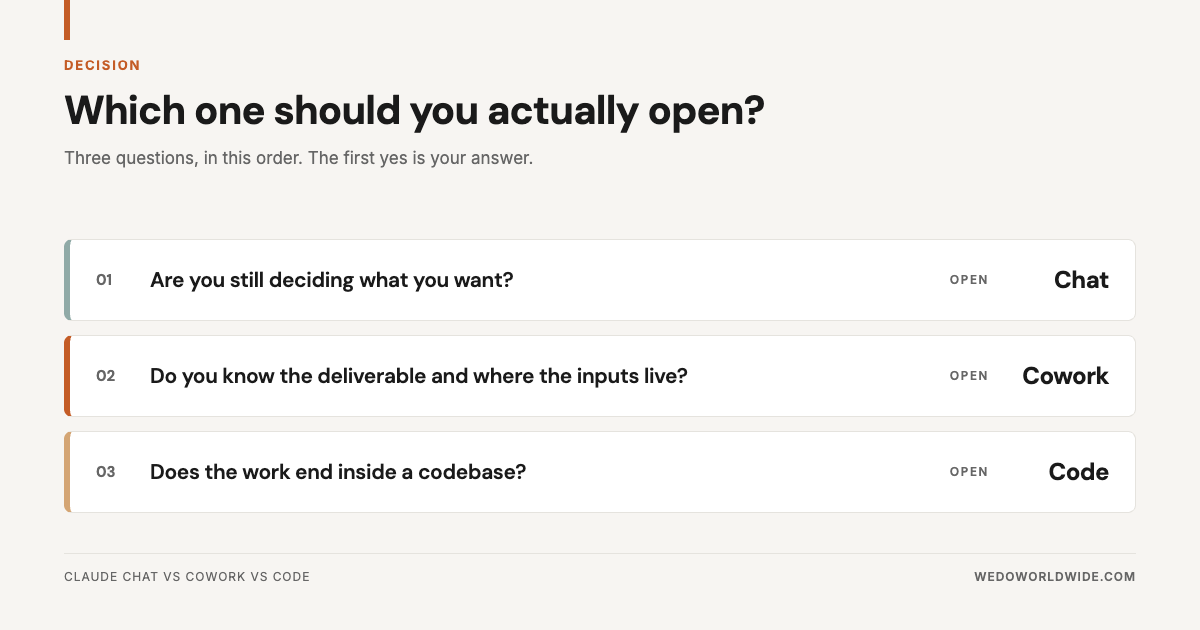
Most misfires are question two failing quietly. People know the deliverable. They haven't decided where the inputs live. So they default to Chat and pay for it in uploads.
06 / how-do-we-split-the-three-at-wedo
How do we split the three at WE•DO?
Here's the routing on our real recurring work.
| The work | Surface | Why |
|---|---|---|
| Pressure-testing a content angle before a brief | Chat | The output is a decision, not a file |
| Monthly client readout from analytics exports | Cowork | Known deliverable, known folder, runs on a schedule |
| First-pass QA against a content brief | Cowork | Two documents, one structured verdict |
| Competitive teardown across 8 sites | Cowork | Parallel research, one memo back |
| Schema markup and tracking fixes | Code | It ends in the repo |
| Reshaping a 40k-row export | Code | A script beats a conversation |
| Rewriting one landing page headline | Chat | Three turns and done |
Notice how much lands in the middle column. We see that pattern on every team we onboard. The Chat habit is strong. The Code fear is strong. Cowork sits in the gap, where most knowledge work lives.
07 / what-didnt-work-when-we-started
What didn't work when we started?
Four mistakes. We made all of them.
- Treating Cowork as Chat with file access. It's a delegation surface. Steer every turn and you're paying agentic token rates for a conversation. Brief it properly and let it run.
- Giving Cowork the whole drive. Point it at one folder. Scoped access produces better output and makes review possible. It's also the honest answer when a client asks what it can see.
- Avoiding Code because nobody here is an engineer. Half our Code usage is marketing infrastructure: tracking, schema, redirects, data cleanup. The repo is the test, not the title.
- Not scheduling anything. A task you have to remember to start stops happening by week three. Unattended scheduling is the most useful feature of the three. Almost nobody turns it on.
08 / whats-the-one-rule-to-remember
What's the one rule to remember?
Pick by how much of the job you're keeping. Chat, Cowork, and Code aren't three tiers of one product. They're three answers to that one question.
- Keep all of it when you're thinking: Chat.
- Keep the goal and the review when you know the deliverable: Cowork.
- Keep the merge decision when the work ends in a repo: Code.
Pick on that basis and the naming stops mattering.
Want this routing applied to your team's recurring work? Take a look at AI Operations when you're ready to build the system, not the habit.