In a normal chat, you ask and Claude answers. In Cowork, you hand Claude a whole job, and it works through the steps on its own: planning, writing, building the file, checking it. You get back something finished, like a PDF you can print.
Cowork is marked Beta, which means Anthropic is still improving it. That's one more reason to start with small, low-risk jobs.
Not sure whether a job belongs in a chat or in Cowork? We compare them in Claude Chat vs Cowork vs Code.
Our example: a printable spring cleanup checklist for a made-up landscaping crew.
Step 1: Switch the message box to Cowork
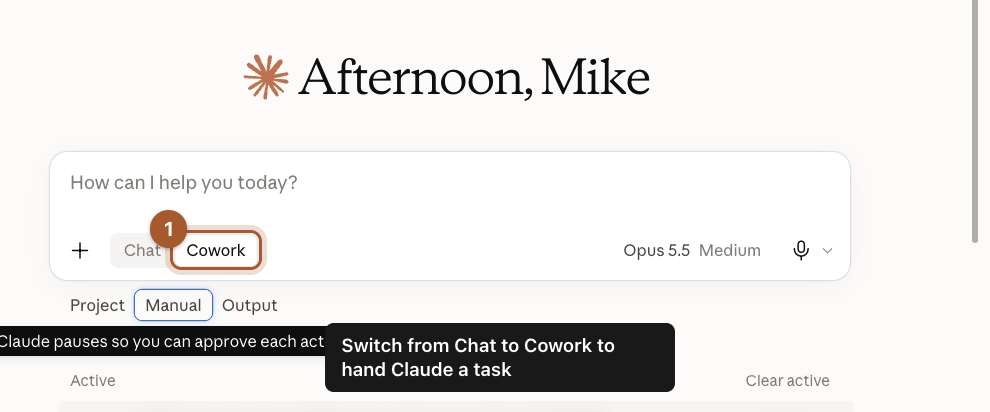
Under the message box there are two buttons: Chat and Cowork. Click Cowork. The box now starts a task instead of a chat.
Step 2: Choose how often Claude checks with you
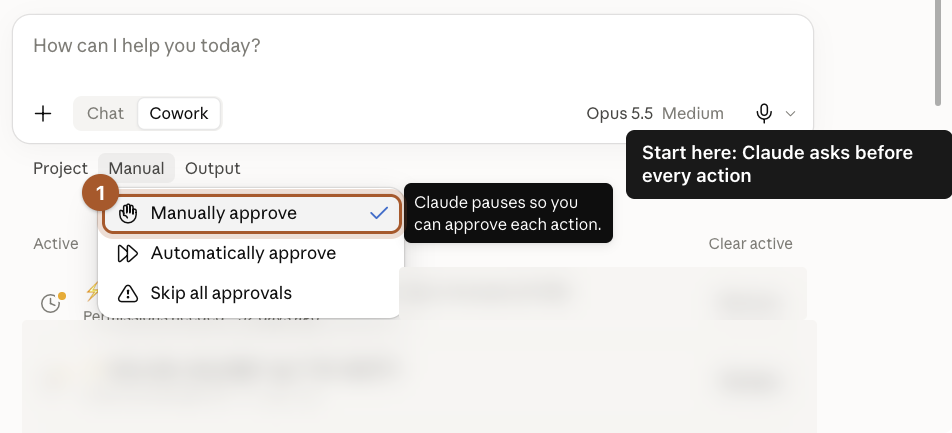
Click the approval setting under the box (it starts as Manual). You'll see three choices, each with Claude's own one-line description:
- Manually approve: Claude pauses so you can approve each action.
- Automatically approve: Claude runs on its own and pauses if something looks unsafe.
- Skip all approvals: Claude never pauses, even for unsafe actions.
Step 3: Describe the whole job
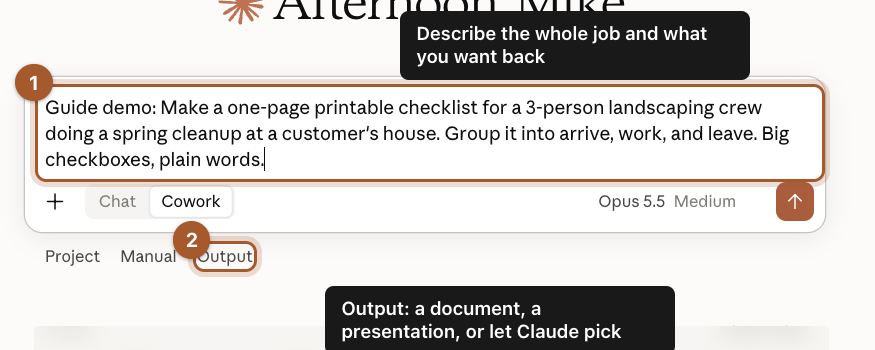
Describe the finished result, not just the first step. Say what it's for, who will use it and how it should look. We wrote:
Make a one-page printable checklist for a 3-person landscaping crew doing a spring cleanup at a customer's house. Group it into arrive, work, and leave. Big checkboxes, plain words.
The Output setting lets you ask for a document or a presentation, or let Claude pick the format. Then click the send arrow to start the task.
Step 4: Watch it work, then download the result
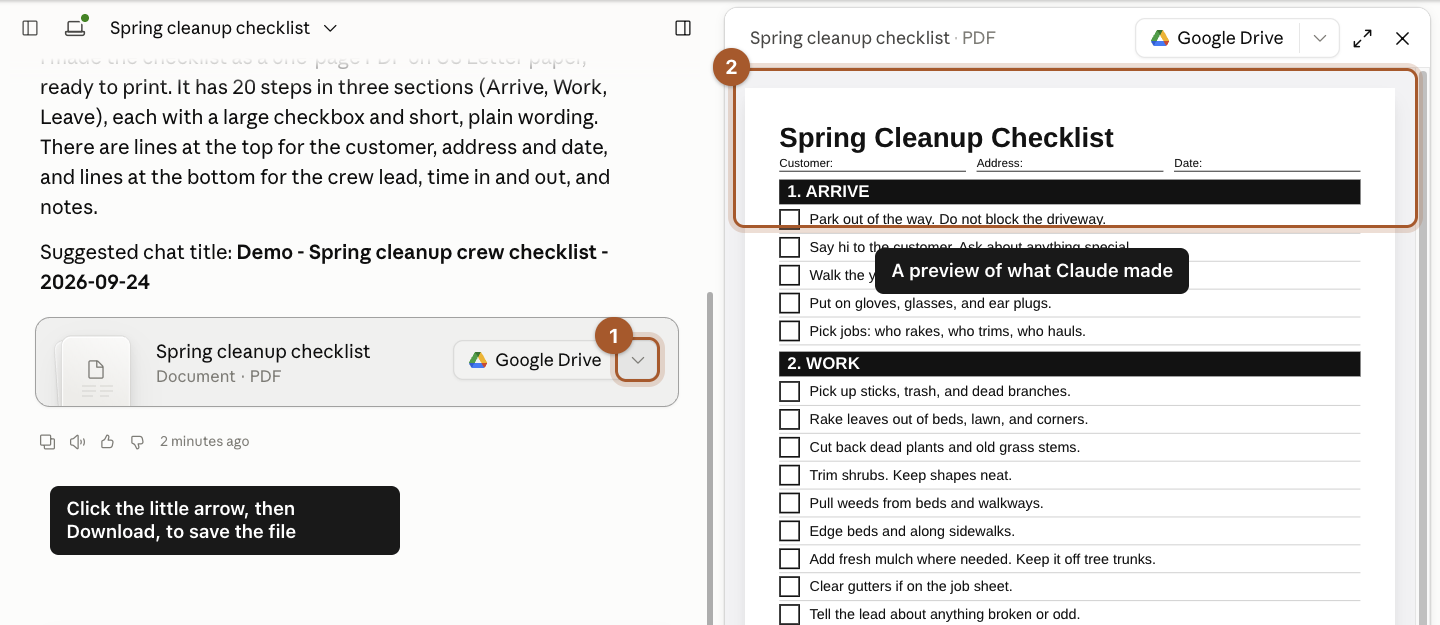
Claude shows each step as it works. Ours took about a minute and made a one-page PDF with 20 checklist items in three sections, plus lines for the customer name, address and date.
A file card appears in the chat and a preview opens on the right. To save it:
- Click the little arrow next to the button on the file card.
- Click Download.
A harder job: compare three supplier quotes
A checklist is a good first task. Here's the kind of job where Cowork really pays off: three PDF quotes from mulch suppliers, each laid out differently, with the real cost hidden in delivery fees, surcharges and fine print. By hand, that's an hour with a calculator. Our made-up company needs 60 cubic yards, delivered within 7 days, and prefers natural (not dyed) mulch.
Step 5: Attach every file and write a full brief
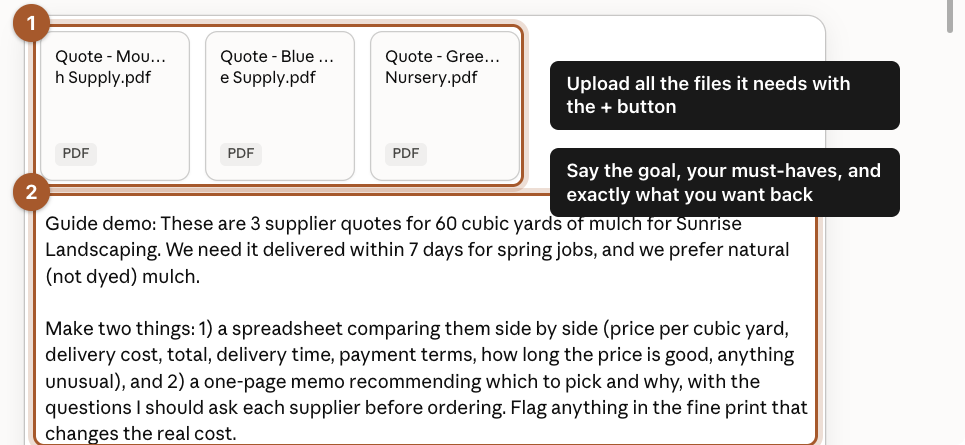
- Click + and attach all three quotes at once.
- Write a brief that covers the goal, your must-haves and exactly what you want back. We wrote:
These are 3 supplier quotes for 60 cubic yards of mulch. We need it delivered within 7 days for spring jobs, and we prefer natural (not dyed) mulch.

Make two things: 1) a spreadsheet comparing them side by side (price per cubic yard, delivery cost, total, delivery time, payment terms, how long the price is good, anything unusual), and 2) a one-page memo recommending which to pick and why, with the questions I should ask each supplier before ordering. Flag anything in the fine print that changes the real cost.
Step 6: Read the recommendation, and check the reasoning
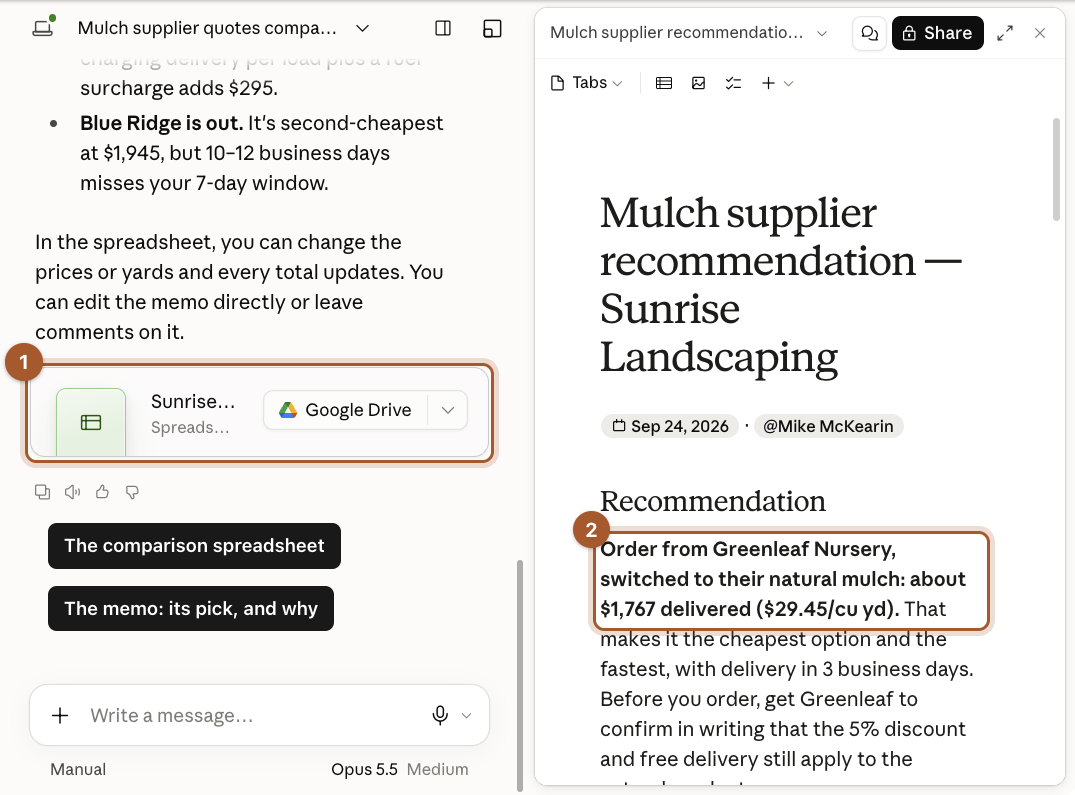
About two minutes later, Claude handed back both files:
- The comparison spreadsheet, as a file card you can open or save to Google Drive.
- The memo, open on the right, with its pick and the reasons.
It didn't just pick the lowest quote. Blue Ridge had the second-lowest total but couldn't deliver in time, so it was out. Greenleaf looked cheapest, but its quote was for dyed mulch. Claude noticed that Greenleaf also offers natural mulch for less, repriced it, and recommended Greenleaf's natural mulch at about $1,767 delivered, with a note to get the discount and free delivery confirmed in writing.
Step 7: Open the spreadsheet to see how it got there
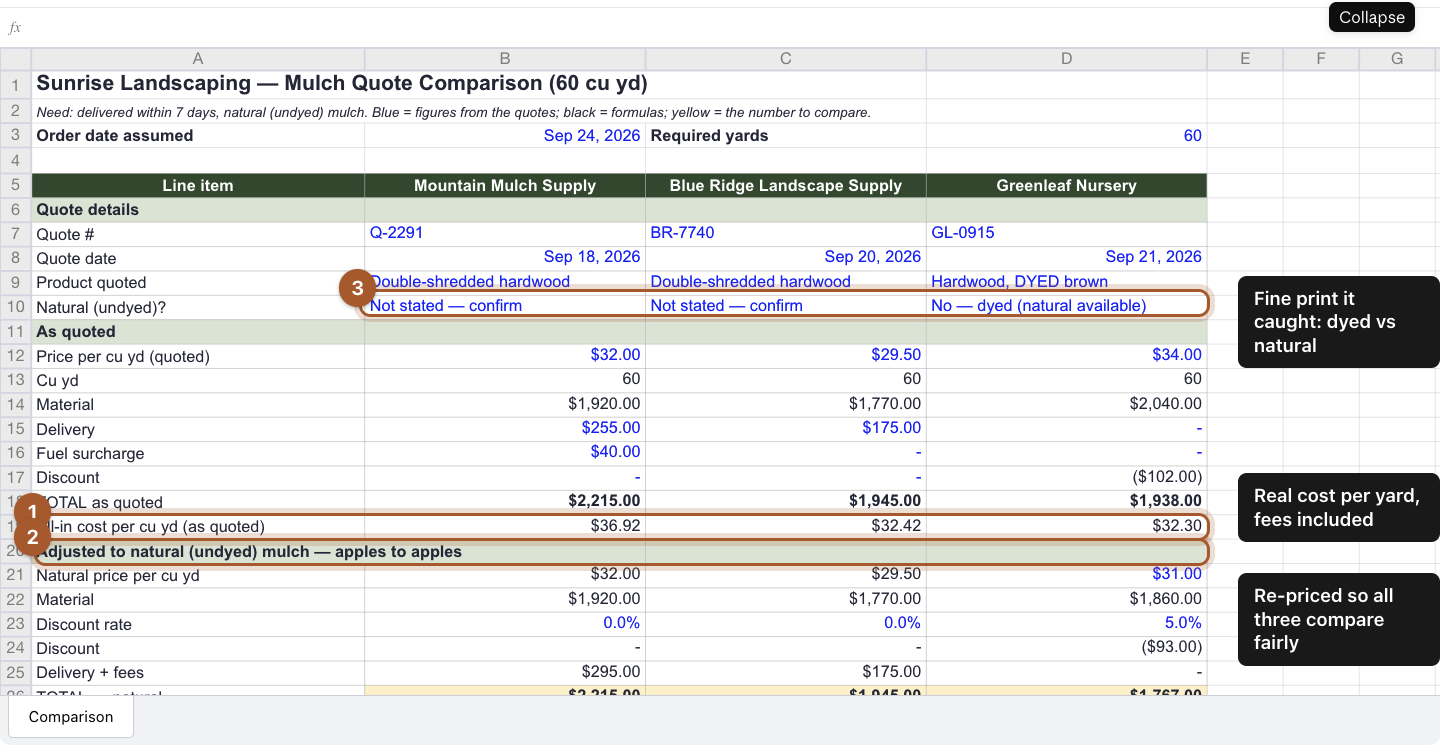
The spreadsheet shows its work, so you can follow the numbers instead of taking them on faith:
- All-in cost per yard, with every fee included. This is the number that matters, not the headline price.
- An apples-to-apples section that reprices all three as natural mulch.
- The fine print it caught: two quotes don't say whether the mulch is dyed, so it flags those as questions to ask.
The totals are formulas, so if a supplier sends a new price, change one cell and everything updates.
Good first Cowork tasks
- A printable checklist or job sheet.
- A one-page price sheet or services flyer from notes you paste in.
- Tidying a messy spreadsheet into a clean one, from a file you upload.
- A short slide deck for a customer presentation.
Screenshots taken September 24, 2026. Claude changes its look now and then. If a button has moved, look for the same words nearby.