The best way to learn Claude is to hand it a real job. In this guide we'll use one most owners know well: a customer asking why their price went up.
Our example business is a made-up landscaping company called Sunrise Landscaping. Swap in your own details as you go.
Step 1: Click New to start a fresh conversation
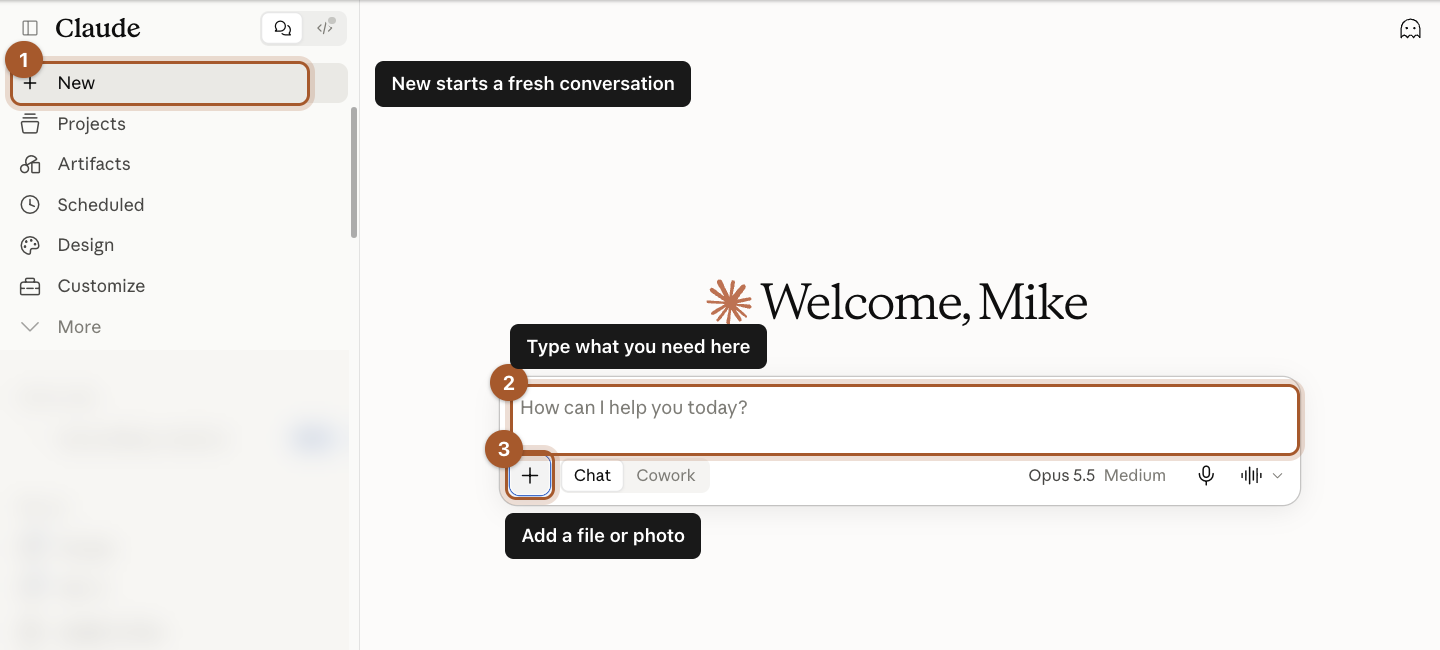
Click New in the top left. Each conversation is like a separate file folder. Start a new one whenever you change topics, so Claude isn't confused by what you talked about before.
Step 2: Type what you need, then send it
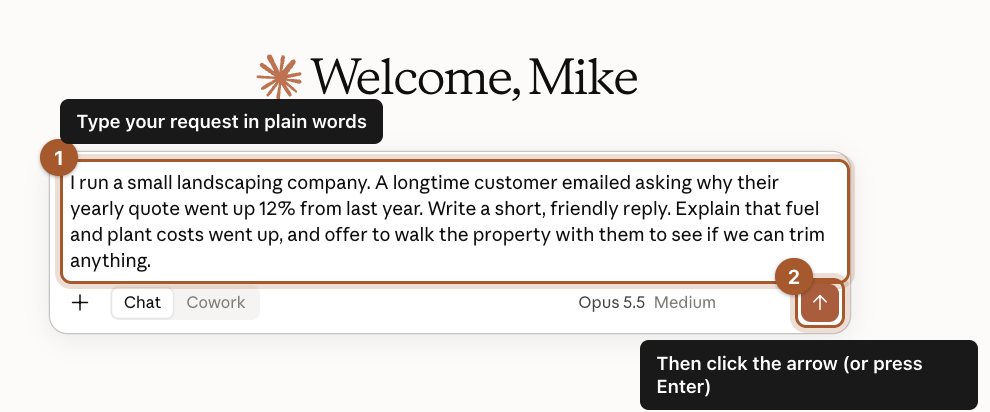
Click in the message box and type your request the way you'd explain it to a new employee. Then click the orange arrow, or press Enter on your keyboard.
Here's what we typed. Copy it and change the details to fit your business:
I run a small landscaping company. A longtime customer emailed asking why their yearly quote went up 12% from last year. Write a short, friendly reply. Explain that fuel and plant costs went up, and offer to walk the property with them to see if we can trim anything.
Step 3: Read the answer like an editor
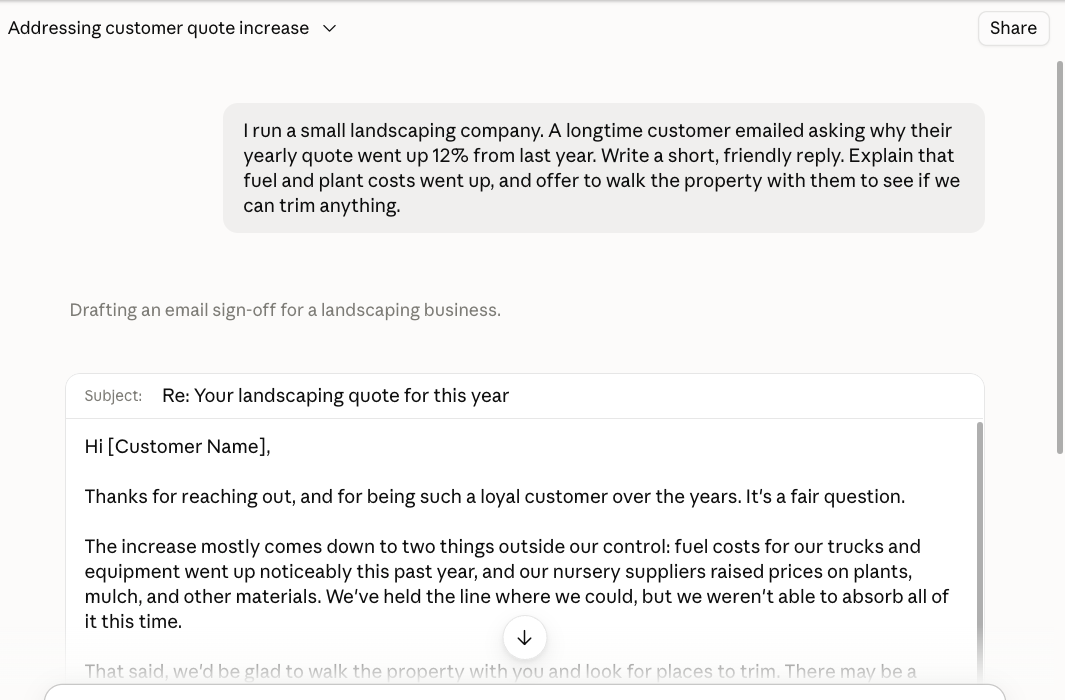
Claude writes a full draft in a few seconds. Read it the way you'd read something a new hire wrote. Is it right? Does it sound like you? Is anything missing?
Step 4: Ask for changes in plain words
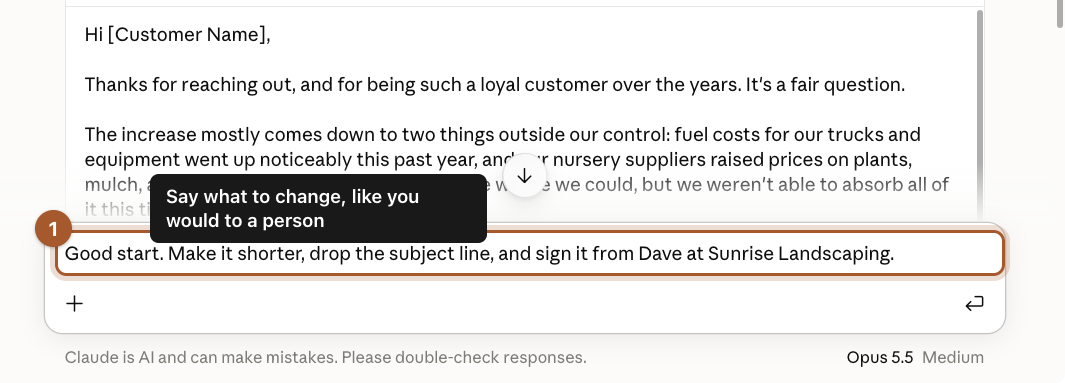
Don't start over if the first draft isn't right. Type what to change in the same conversation, just like you'd tell a person. We typed:
Good start. Make it shorter, drop the subject line, and sign it from Dave at Sunrise Landscaping.
Step 5: Copy the finished version
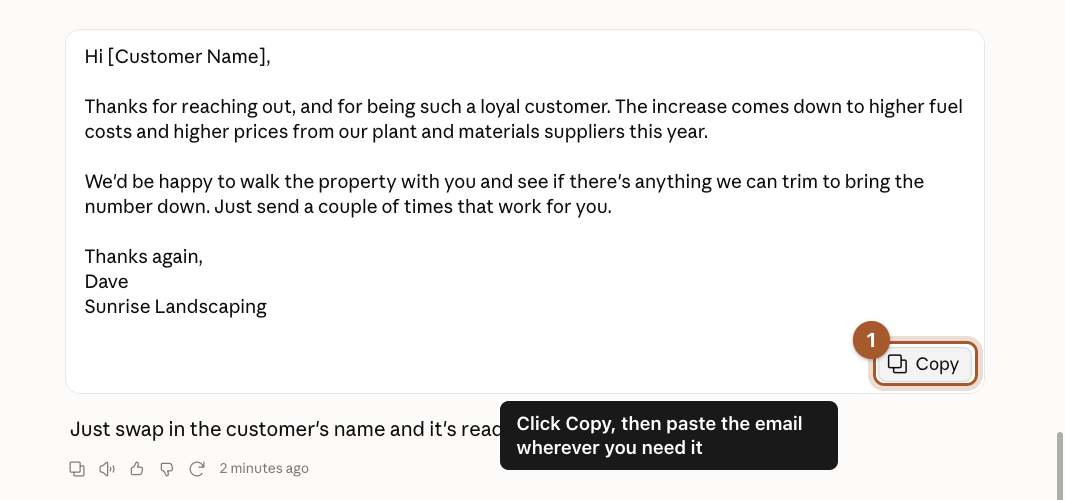
When it's right, click Copy. That puts the text on your computer's clipboard. Then go to your email, click in the message, and paste it (Command + V on a Mac, Ctrl + V on Windows).
Step 6: Give the chat a name you'll remember

Claude names each chat for you, and it saves everything automatically. To give a chat a clearer name, click its title at the top of the page, type a new name, and press Enter. Your chats are listed down the left side, newest first.
Screenshots taken September 24, 2026. Claude changes its look now and then. If a button has moved, look for the same words nearby.