When people say "AI gave me something generic", the request was usually generic too. Claude only knows what you tell it. Give it the same background you'd give a new employee, and the answers get specific fast.
Here's the whole idea in one example.
Too vague:
Write a job post.
Claude has to guess everything: what job, what company, what pay, what tone. You'll get a bland post that could be for anyone.
Much better:
I own a 6-person landscaping company in a small town. I need a job post for a part-time crew member, about 20 hours a week, April through October, $18 an hour. The work is mowing, mulching and cleanups. It will go on Facebook and Indeed, so keep it short and friendly, not corporate. Don't promise benefits we don't offer.
That second request follows four parts. You don't need all four every time, but the more you include, the less you'll fix.
Step 1: Say who you are
One sentence is enough: your kind of business, how big it is, and where. "I own a 6-person landscaping company in a small town."
Step 2: Say what you need, and who it's for
Name the thing you want and who will read it. "A job post for a part-time crew member. It will go on Facebook and Indeed."
Step 3: Say what good looks like
Tell Claude the length, the tone, and anything to include or avoid. "Keep it short and friendly, not corporate. Don't promise benefits we don't offer."
Step 4: Not sure what to say? Let Claude ask you questions first
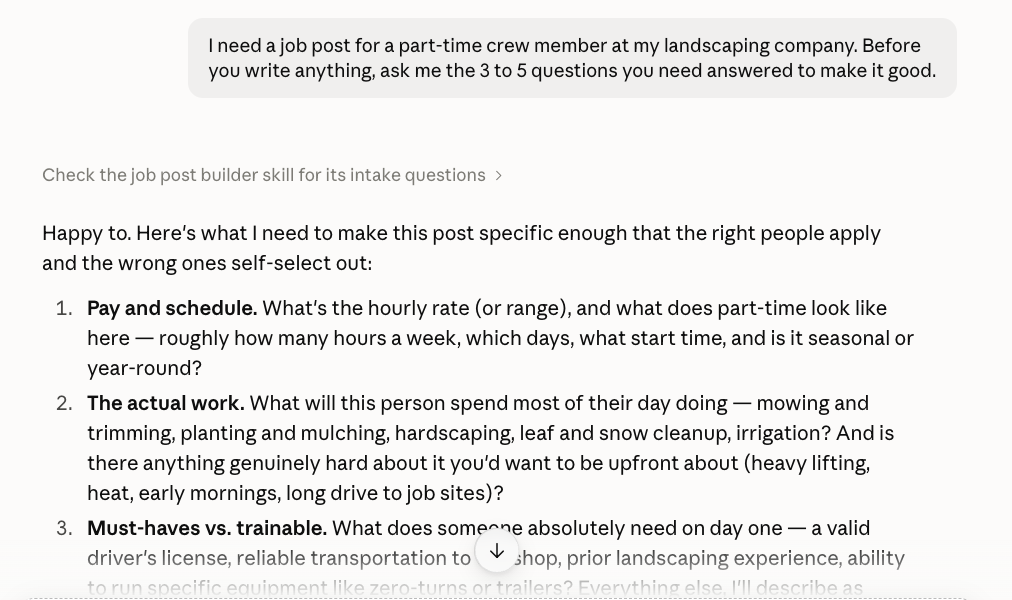
When you don't know what details matter, end your request with one sentence: ask Claude to ask you first. It will come back with a short list of questions. Answer them in a quick reply, and then it writes.
I need a job post for a part-time crew member at my landscaping company. Before you write anything, ask me the 3 to 5 questions you need answered to make it good.
Step 5: Fix the draft, don't start over
If the first draft is close, say what to change in the same chat: "shorter", "warmer", "add the pay rate to the first line". Claude remembers everything earlier in the conversation, so each fix builds on the last. Guide 2 shows this step by step.
Screenshots taken September 24, 2026. Claude changes its look now and then. If a button has moved, look for the same words nearby.