Automation follows a rule. An agentic workflow makes a decision. Here is the anatomy, the honest test for whether you need one, and how to run one without handing your business to a robot.
Part of our guide to AI agents for small business.
An agentic workflow is a repeating business process where an AI agent decides how to reach a goal instead of following a fixed script. You give it an objective, the context it can trust, and the tools it can use. It plans the steps, calls the tools, checks its own output, adapts when a source fails, and hands the result to a person who approves it.
That last clause is the part most vendors leave out, and it is the part that decides whether the thing is useful or dangerous.
The term went from niche to everywhere in about a year. Search demand for "agentic workflow" is up 52% year over year, and "what is an agentic workflow" is up 182%. Most people asking are not engineers. They are operators who keep hearing the word in sales calls and want to know if it means anything.
It does. We run more than 40 of these inside WE•DO across content, reporting, SEO, and meeting follow-up. Some returned real hours: reporting work that used to eat a day now takes about 60% less time. Others failed, and they failed for boring, repeatable reasons you can avoid.
01 / agentic-workflow-vs-automation-vs-prompt
Agentic Workflow vs Automation vs Prompt
Traditional automation is a rule. If a form comes in, add a row and send an email. It does exactly that, forever, and it snaps the moment reality changes. IBM draws the same line: rule-based automation follows predefined paths, while agentic workflows adapt to real-time data and unexpected conditions.
A prompt sits at the other end. It is a single request, made by a person who is already sitting there.
Three things have to be true before a process is genuinely agentic:
- The agent chooses the path, not just the payload.
- It can use tools to fetch what it does not already know.
- It can notice a failure and try a different route.
If a workflow cannot make a decision, it is automation with better marketing. That is not an insult. Automation is cheaper, faster, and easier to trust. Use it when it fits.
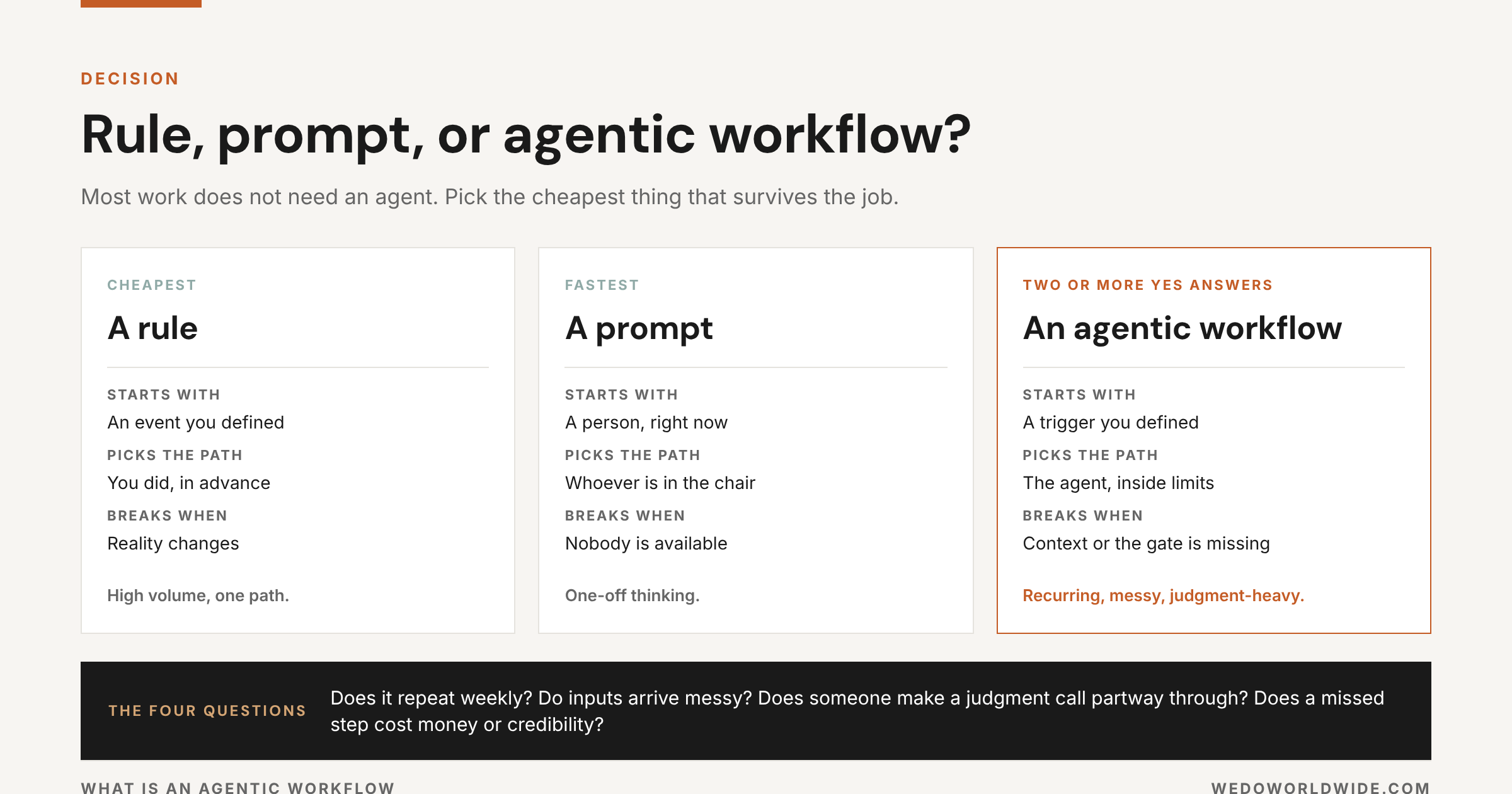
| Rule | Prompt | Agentic workflow | |
|---|---|---|---|
| What starts it | An event you defined | A person, right now | A trigger you defined |
| Who picks the path | You did, in advance | The person in the chair | The agent, inside limits |
| Fails when | Reality changes | Nobody is available | Context or the gate is missing |
| Best for | High volume, one path | One-off thinking | Recurring, messy, judgment-heavy |
02 / why-the-term-is-everywhere-right-now
Why the Term Is Everywhere Right Now
Two things happened at once. Models got good enough to use tools reliably, and the tools got good enough to be worth calling. That combination turned "agent" from a demo into a line item, and the vocabulary raced ahead of the practice.
The search results tell the story. Ask Google what an agentic workflow is and you get an AI-generated answer at the top, then a wall of vendor definition pages. Every one of them is technically correct. Almost none of them tell an operator what to do on Monday, what to keep away from the agent, or what it costs when a run goes wrong.
Meanwhile the adoption numbers stay modest. In Microsoft's 2026 Work Trend Index, only about one in six surveyed AI users reported routinely redesigning their workflows around what AI does well. Most companies bought seats and kept their process exactly as it was. The gap between owning the tools and changing the work is where all the value still sits.
03 / the-anatomy-of-an-agentic-workflow
The Anatomy of an Agentic Workflow
Every agentic workflow that survives contact with a real business has the same five parts. Name all five before you write a single instruction.
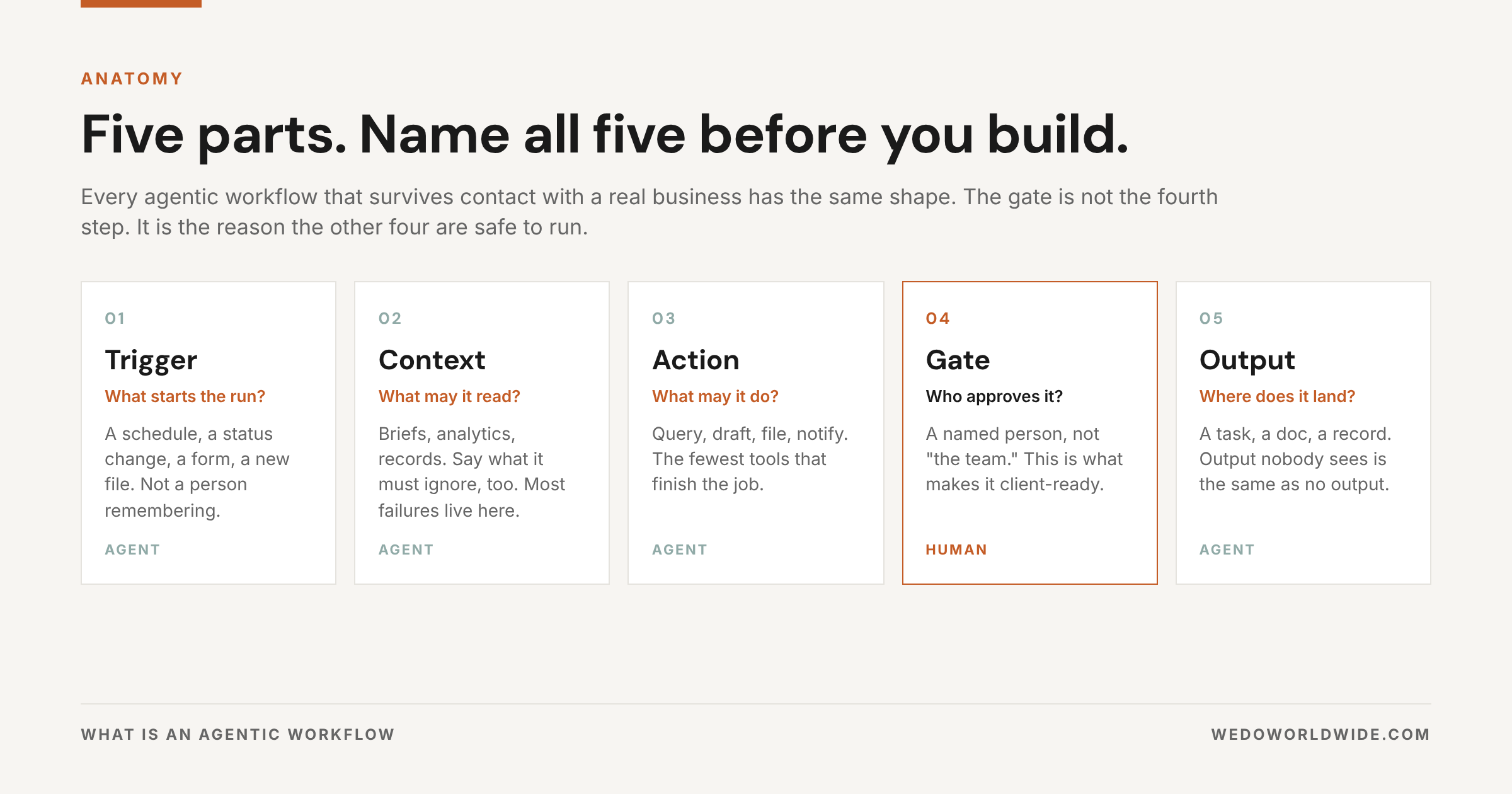
1. Trigger
What starts the run. A schedule, a form submission, a status change, a new file, a mention. Vague triggers produce workflows that run at the wrong time and get switched off in week two.
2. Context
What it is allowed to read. Briefs, analytics, transcripts, CRM records, past deliverables. This is where most agentic workflows actually fail. The model is rarely the problem. The context is. Decide what the agent should trust, and be equally explicit about what it must ignore.
3. Action
What it may do. Query data, draft, file, update, notify. Give it the fewest tools that finish the job. Every extra tool adds a way to be wrong.
4. Gate
Who approves, and on what. A named person, not "the team." The gate is what turns an interesting demo into something you can put in front of a client.
5. Output
Where the work lands. A task, a doc, a record, a message in the channel where the work already happens. An output nobody sees is the same as no output.
04 / when-you-actually-need-one
When You Actually Need One
Most work does not need an agent. Run the job through four questions.
- Does it repeat at least weekly?
- Do the inputs arrive messy or incomplete?
- Does someone make a judgment call partway through?
- Does a missed step cost real money or credibility?
Two or more yes answers, build the workflow. One yes, write a rule. Zero, keep using a chat window and get on with your day.
Here is the shortcut we use internally: if you catch yourself pasting the same background into an AI chat for the third time this month, you do not need a better prompt. You need a workflow.
05 / a-real-one-step-by-step
A Real One, Step by Step
Abstract definitions are why this term feels slippery. So here is the content workflow that produced the post you are reading, with nothing hidden.
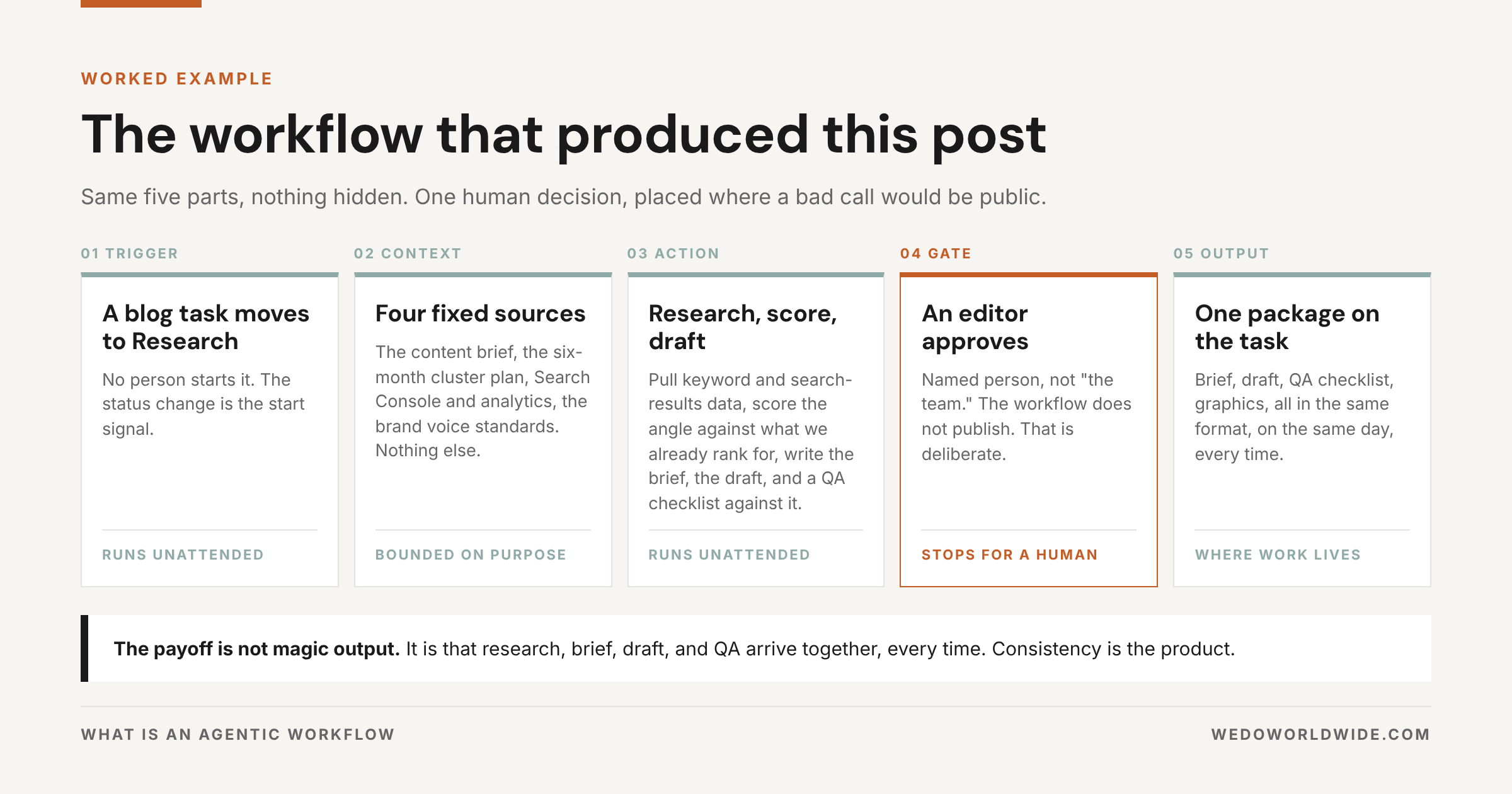
The trigger is a blog task moving into Research. The context is fixed and narrow: the content brief, our six-month cluster plan, Search Console and analytics for the site, and the brand voice standards. The actions are retrieval and drafting. It pulls keyword and search-results data, scores the angle against what we already rank for, writes the brief, then writes the draft and a QA checklist against it.
Then it stops. An editor reads the draft and approves it. Only after that does anything move toward the site.
What the workflow does not do is publish. That is deliberate. Publishing is the one step where a bad decision is public and expensive, so it stays behind a human.
The payoff is not magic output. It is that research, brief, draft, and QA arrive as one package on the same day, in the same format, every time. Consistency is the product.
The reporting version of the same shape
Same five parts, different job. The trigger is a schedule instead of a status change. The context is analytics, search data, and the client's goals rather than a content brief. The action is a comparison: what moved, by how much, and which of those moves is worth an account lead's attention. The gate is the person who owns the relationship. The output is a draft summary in the channel where that account already gets discussed.
This is the workflow that gave us the biggest single return, roughly 60% less time on reporting, because the job was frequent, the inputs were structured, and the judgment call was narrow: is this change worth mentioning?
06 / the-gate-is-the-whole-job
The Gate Is the Whole Job
Every agentic workflow needs an autonomy page. One page, three questions, written before the first run: what may it do unattended, what needs approval, and what is off limits entirely.
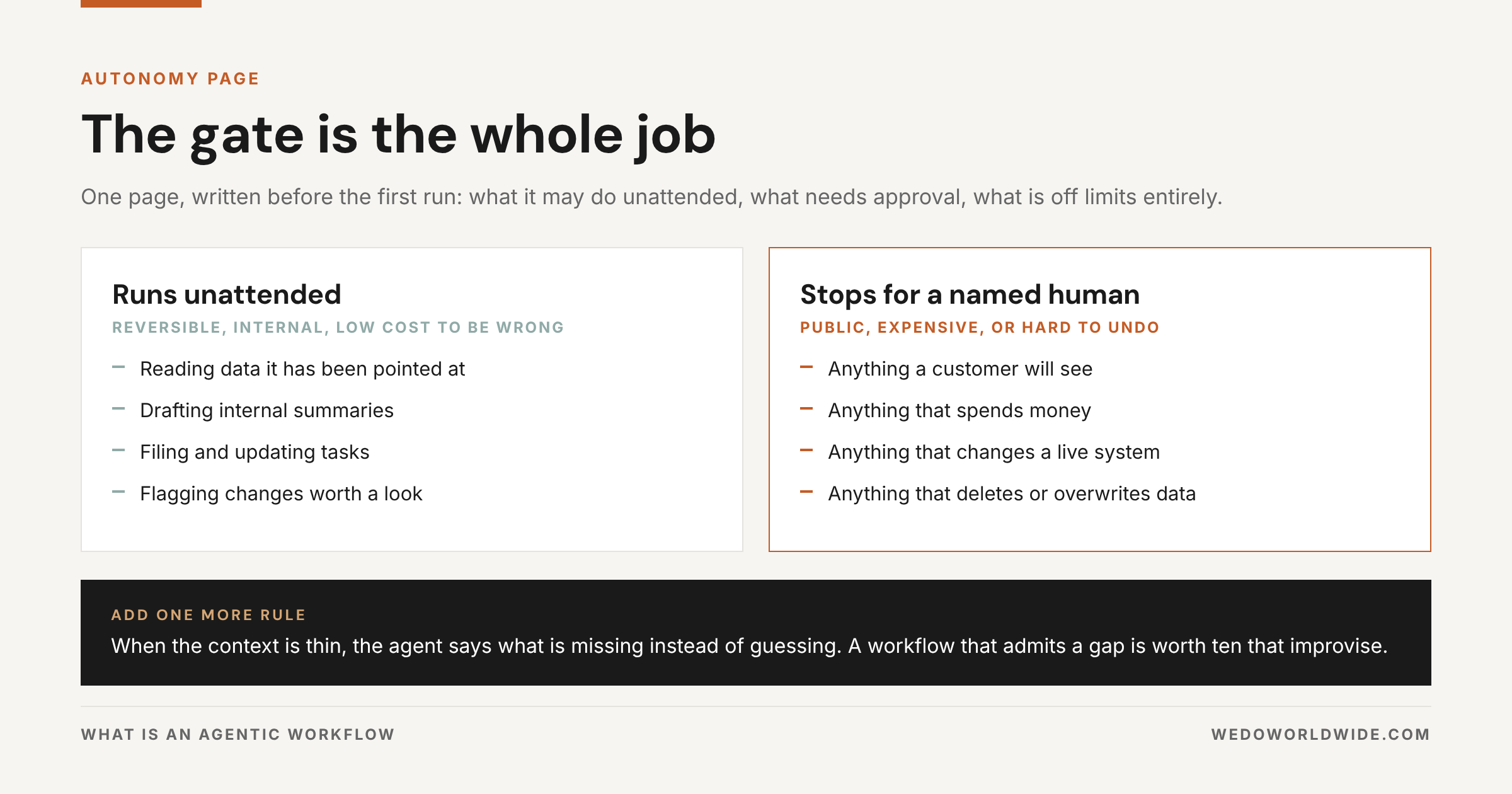
Ours reads roughly like this. Reading data, drafting internal summaries, filing tasks, and flagging changes all run unattended. Anything a customer will see, anything that spends money, and anything that changes a live system stops for a person.
Add one more rule and you will avoid most of the pain: when the context is thin, the agent says what is missing instead of guessing. A workflow that admits a gap is worth ten that improvise.
07 / build-your-first-one-in-30-days
Build Your First One in 30 Days
You do not need a platform, a data team, or a budget line. You need one job and a month.
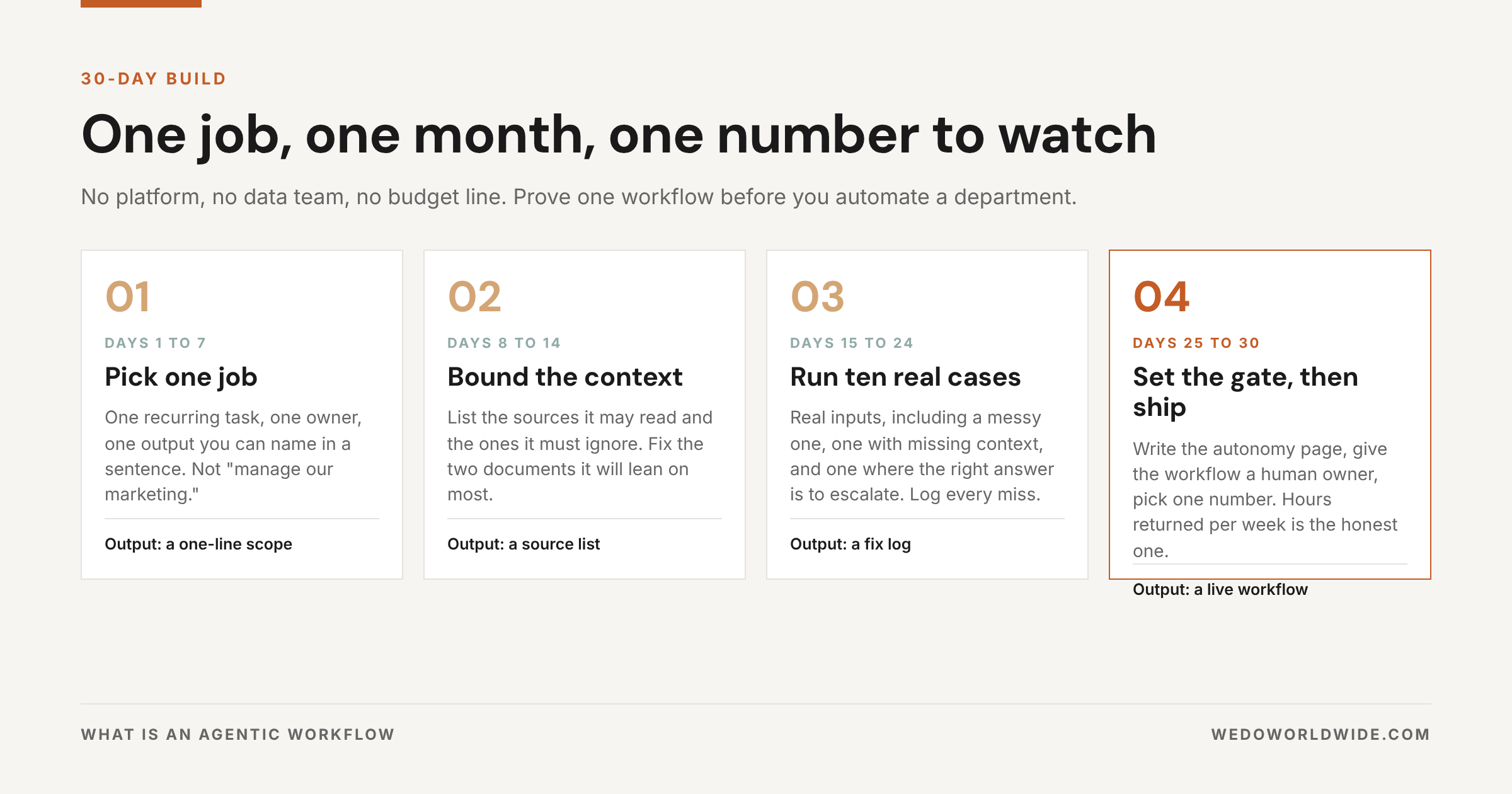
Days 1 to 7: pick one job
One recurring task, one owner, one output you can name in a sentence. Good first candidates: a weekly performance summary, a pre-meeting brief, a draft reviewed against a checklist. Bad first candidates: "manage our marketing."
Days 8 to 14: bound the context
Write down the sources it may read and the ones it must ignore. Fix the two documents it will lean on most. This week is unglamorous and it decides whether the whole thing works.
Days 15 to 24: run ten real cases
Not demo inputs. Real ones, including a messy case, a case with missing context, and a case where the right answer is to escalate. Log every miss. Most fixes are tighter scope and clearer instructions, not a different model.
Days 25 to 30: set the gate, then ship
Write the autonomy page, give the workflow a human owner, and pick one number to watch. Hours returned per week is the honest one.
08 / five-mistakes-that-kill-agentic-workflows
Five Mistakes That Kill Agentic Workflows
The workflows we have killed did not fail because the model was weak. They failed because the design was loose. These five account for nearly all of it.
- Scope too big. A workflow that is part strategist, part analyst, part writer is mediocre at all three.
- Tool sprawl. Ten integrations look impressive and quadruple the ways a run goes sideways.
- Unbounded context. Point an agent at everything and it will confidently use the wrong thing.
- No gate. Unowned output is the fastest way to lose the team's trust, and trust is hard to win back.
- Measuring novelty. Nobody cares that it is agentic. Measure hours returned, errors avoided, and steps that stopped getting dropped.
09 / the-takeaway
The Takeaway
An agentic workflow is not a product you buy. It is a process you draw: one trigger, bounded context, the fewest tools that finish the job, a human on the gate, and an output that lands where work already happens.
Start with one job that repeats. Prove it for a month. Then build the next one. That is how a fleet of useful workflows gets built, and it is the opposite of how most AI projects get pitched.
Want help drawing the first one? See how we build AI workflows and custom agents, or start with the foundation in our guide to AI enablement. If you want a menu of candidates, we listed 40 AI agents every growth team should have.